MSSQL Seguimiento
Supervise el rendimiento de las consultas de Microsoft SQL Server, las estadísticas de espera, la caché de búfer y el estado del registro de transacciones en tiempo real sin necesidad de configuración.
¿Por qué realizar un seguimiento? MSSQL?
Microsoft SQL Server es la base de aplicaciones empresariales, almacenes de datos y plataformas de inteligencia empresarial en todo el mundo. La supervisión de MSSQL es esencial para optimizar los planes de ejecución de consultas, realizar un seguimiento de las estadísticas de espera, gestionar la eficiencia de la caché de búfer y detectar interbloqueos. La integración de MSSQL de Xitoring ofrece una visibilidad completa de sus instancias de SQL Server.
Monitoreo de SQL Server, explicado
El monitoreo de SQL Server detecta cadenas de bloqueos, tormentas de deadlocks, deriva en Always On AG, presión de memoria y regresiones de plan de Query Store antes de que provoquen lentitud visible para el usuario o eventos de failover de HA. Para Dynamics 365, SharePoint, ERP y cualquier carga de trabajo empresarial de SQL, la visibilidad de wait-stats por base de datos y de Query Store es lo que diferencia una corrección limpia de tuning de una persecución de causa raíz de varios días. Xitoring detecta automáticamente su SQL Server, lee las DMVs nativas con el permiso VIEW SERVER STATE y enruta las alertas a Slack, PagerDuty, Telegram o su rotación de guardias existente.
Lo que monitorizamos
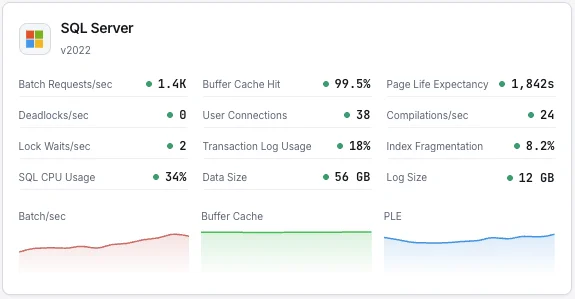
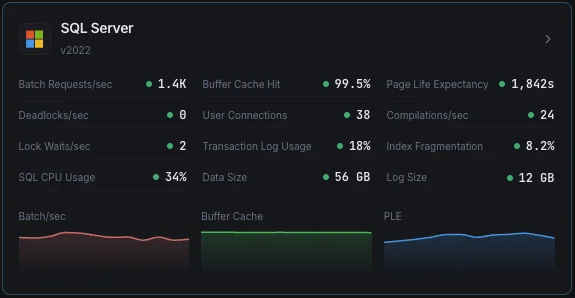
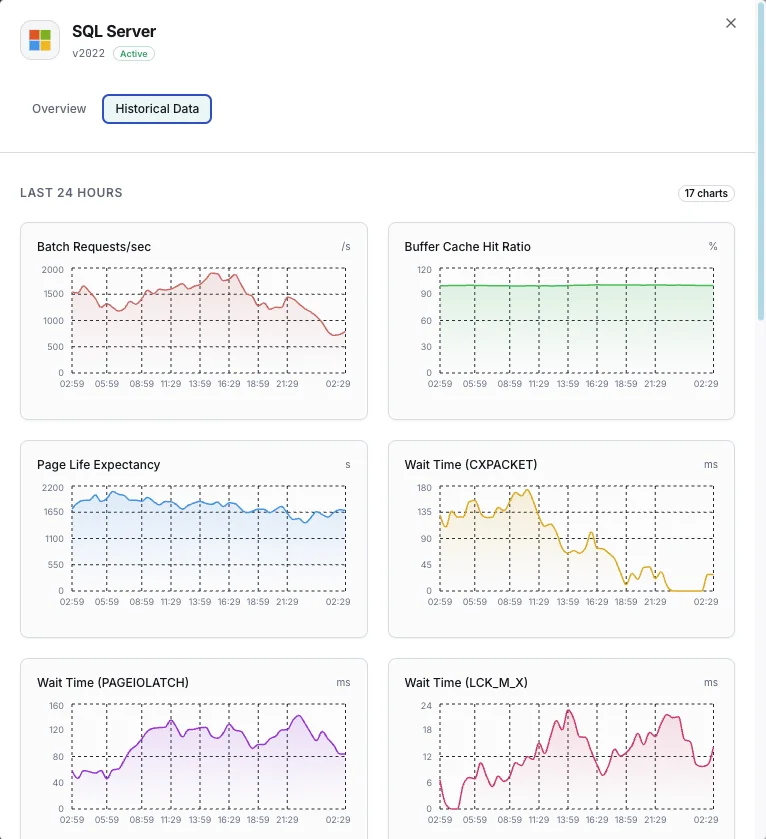
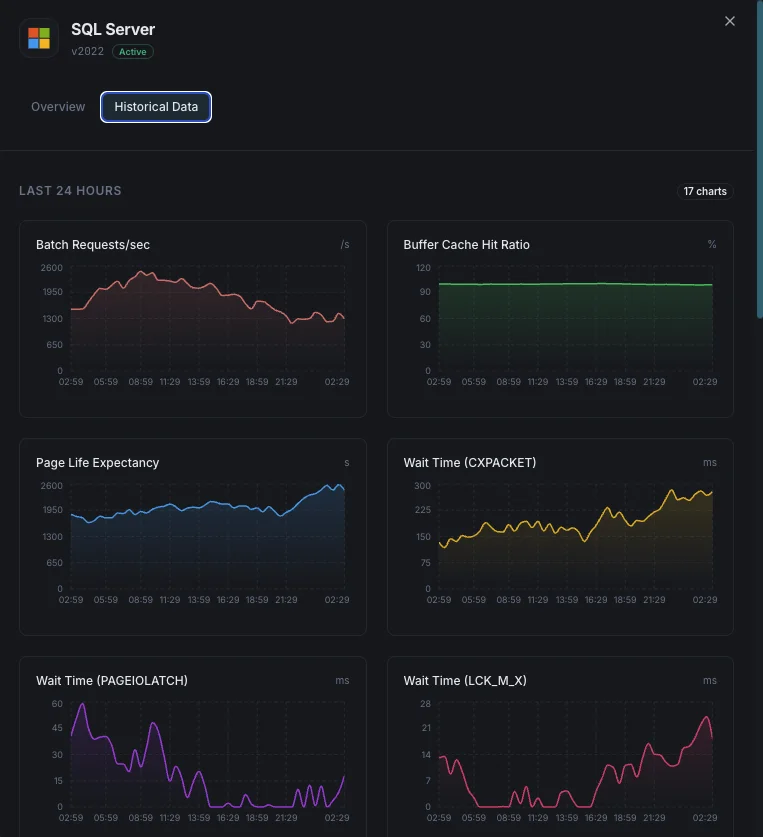
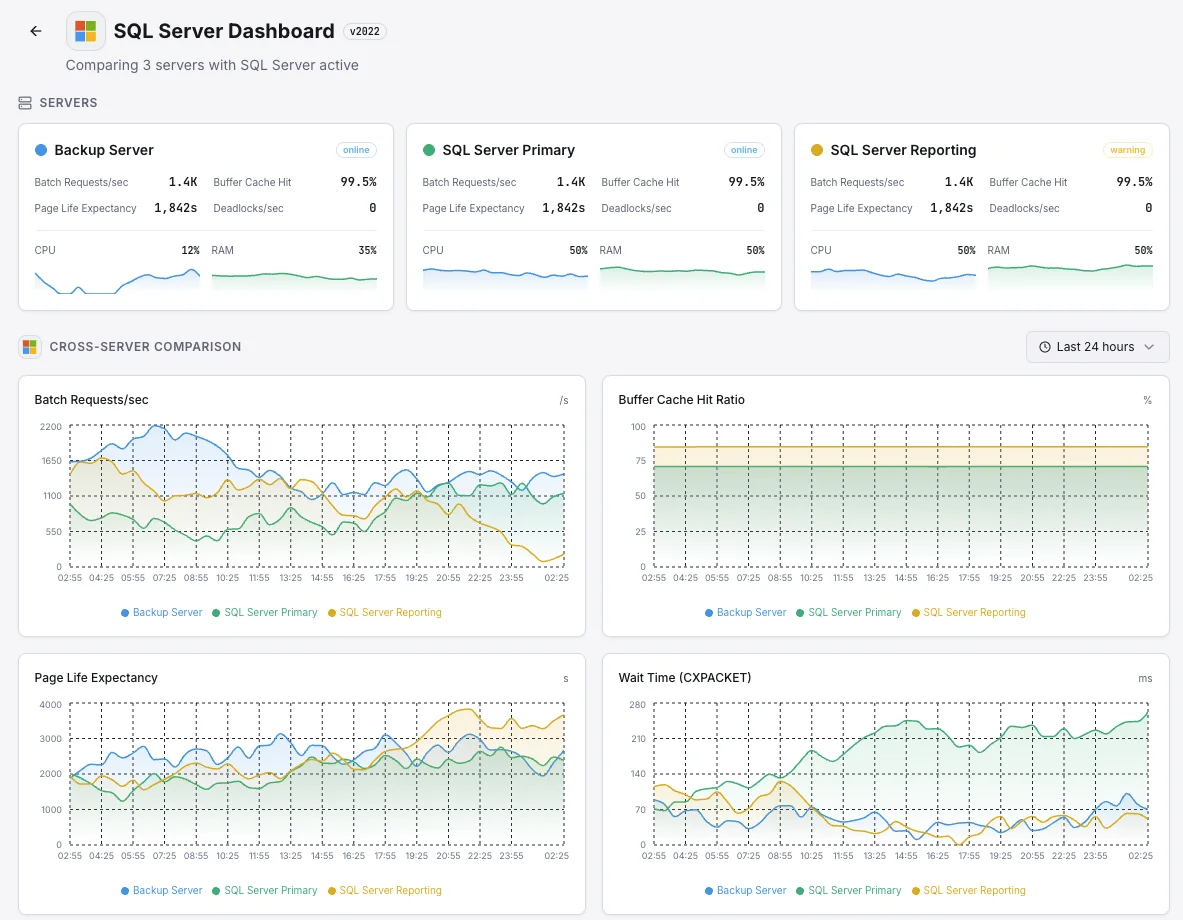
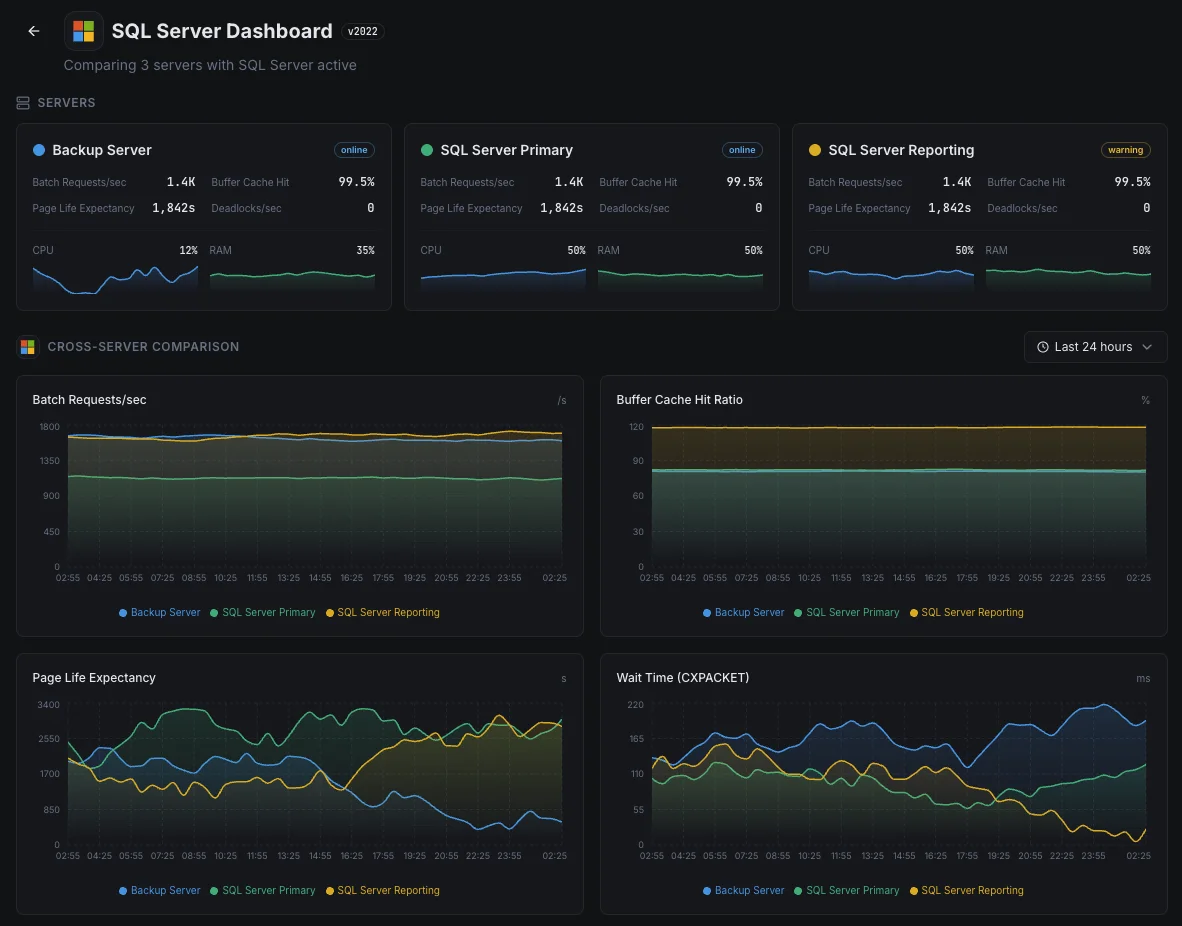
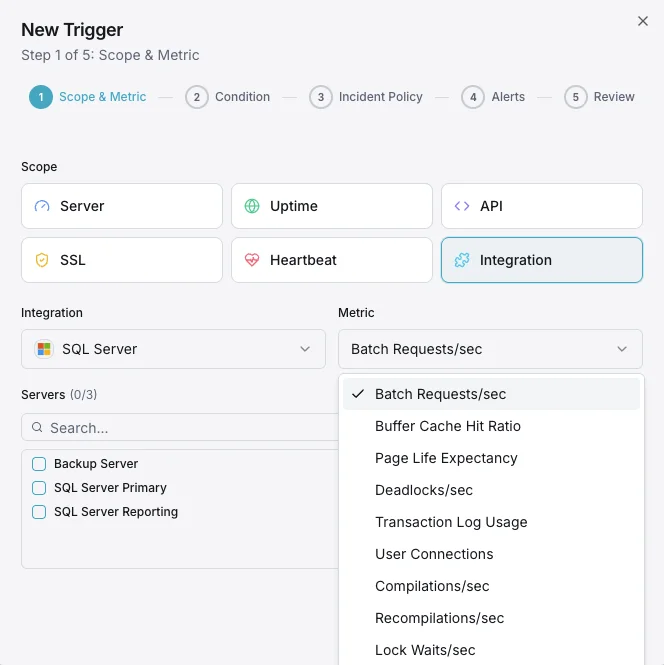
Batch Requests/s
Número de batch requests SQL recibidos por segundo.
Ratio de aciertos del buffer cache
Porcentaje de lecturas de página satisfechas desde el buffer pool frente a lecturas físicas en disco.
Page Life Expectancy
Tiempo medio (segundos) que una página permanece en el buffer pool — valores bajos indican presión de memoria.
Estadísticas de espera
Tipos de espera principales y duraciones que indican cuellos de botella de recursos.
Deadlocks/s
Número de solicitudes de bloqueo que resultaron en deadlocks.
Uso del transaction log
Porcentaje de espacio del transaction log usado por base de datos.
Conexiones de usuario
Número de conexiones de usuario activas a la instancia SQL Server.
Compilaciones/s
Número de compilaciones y recompilaciones SQL por segundo.
Lock Waits/s
Número de solicitudes de bloqueo que requirieron que el solicitante esperara.
Fragmentación de índices
Nivel de fragmentación de los índices entre bases de datos.
Uso de CPU
Utilización de CPU del proceso SQL Server frente al CPU total del sistema.
Tamaño de la base de datos
Tamaños de archivos de datos y log para cada base de datos.
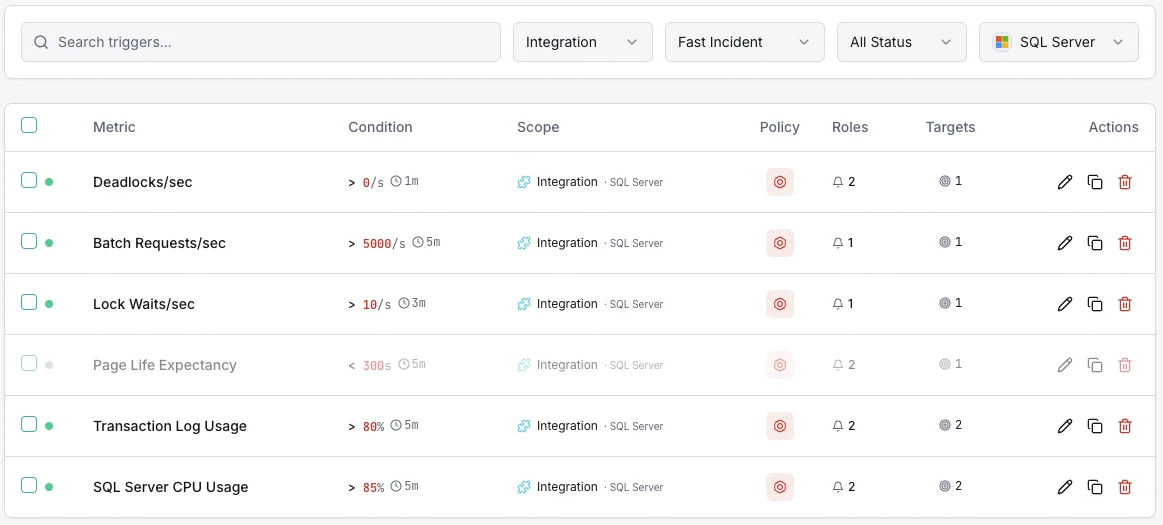
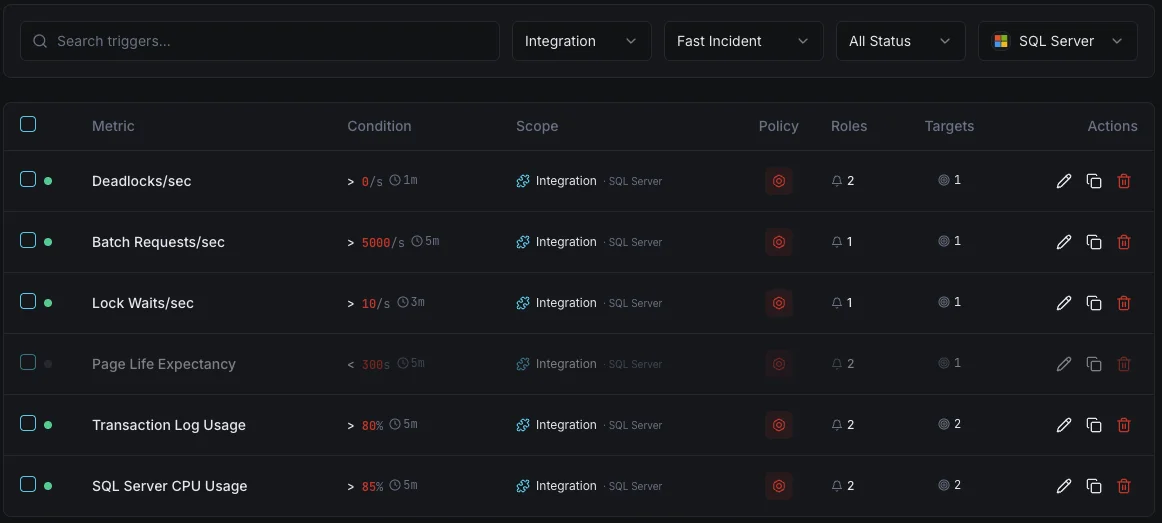
Configurables condiciones de activación de alertas
Configura alertas personalizadas en tu panel de control para recibir una notificación en cuanto las métricas de «MSSQL» superen los umbrales que hayas definido.
Ratio de aciertos del buffer cache
críticoSe dispara cuando el ratio de aciertos del cache cae por debajo del umbral, indicando memoria insuficiente para la carga de trabajo.
Page Life Expectancy
advertenciaSe activa cuando el PLE cae por debajo del umbral, lo que significa que las páginas se vacían demasiado rápido de la memoria.
Bloqueos mutuos
críticoAlerta cuando la tasa de deadlocks supera el umbral, indicando contención de bloqueos en las consultas de la aplicación.
Uso del transaction log
críticoSe dispara cuando el uso del transaction log supera el umbral, con riesgo de fallos de escritura.
Conexiones de usuario
advertenciaSe activa cuando el número de conexiones se acerca a los límites, con riesgo de errores connection refused.
Estadísticas de espera
advertenciaAlerta cuando tipos de espera específicos se disparan, indicando cuellos de botella de recursos (CPU, E/S, memoria, bloqueos).
Importancia de la monitorización de MSSQL
SQL Server ejecuta cargas de trabajo empresariales críticas, desde sistemas ERP y bases de datos financieras hasta plataformas de comercio electrónico. Sin monitorización, la presión sobre los buffers, los deadlocks y el bloat del transaction log pueden provocar caídas y corrupción de datos.
- Detecte la presión de memoria mediante métricas de buffer cache y PLE
- Monitorice las estadísticas de espera para identificar la causa raíz de las ralentizaciones
- Realice un seguimiento de los deadlocks para corregir problemas de bloqueo a nivel de aplicación
- Garantice el espacio del transaction log para operaciones de escritura ininterrumpidas
- Optimice el uso de índices para mantener el rendimiento de las consultas a lo largo del tiempo
Por qué elegir Xitoring
Xitoring ofrece monitorización de SQL Server de nivel empresarial con configuración zero-config. Nuestro agente ligero detecta automáticamente sus instancias MSSQL, empieza a recopilar métricas en menos de 60 segundos e se integra con sus canales de notificación existentes.
- Soporte nativo de Windows Server con instalador sencillo
- Más de 15 nodos de monitorización globales para comprobaciones de baja latencia
- Panel unificado para servidores, bases de datos y uptime
- Alertas flexibles vía Slack, PagerDuty, Telegram y más
- Retención histórica para planificación de capacidad y auditorías
Monitoreo común de SQL Server escenarios
Dónde suele ejecutarse SQL Server hoy en día, y qué podría salir mal si nadie está vigilando.
Aplicaciones de negocio y sistemas ERP
Cuando SQL Server ejecuta aplicaciones de negocio críticas — finanzas, RRHH, ventas — una base de datos lenta se convierte en una empresa lenta. Observamos las señales que muestran cuándo la base de datos está empezando a tener problemas para que el equipo pueda solucionarlo antes de que el personal empiece a llamar a TI.
Bases de datos de respaldo para recuperación ante desastres
Las empresas ejecutan copias adicionales de su base de datos — a menudo en otra región — para que un solo fallo no deje el negocio fuera de línea. Cuando esas copias se quedan atrás, la recuperación perdería más datos de lo esperado. Vigilamos cada copia para que el plan de recuperación ante desastres siga funcionando el día que realmente lo necesites.
SQL Server en la nube o en Linux
Ya sea que SQL Server se ejecute en Azure, en Linux o en algún punto intermedio, la visibilidad que obtienes solo de la plataforma rara vez es suficiente. Mostramos las ralentizaciones de las consultas y otros problemas internos para que tanto el coste como el rendimiento permanezcan bajo tu control.
Requisitos previos para MSSQL
Asegúrate de tener todo esto en su sitio — la mayoría de las instalaciones tardan 60 segundos una vez listo.
- Microsoft SQL Server 2012 o más reciente (2022+ para la métrica size_on_disk_bytes)
- Un login SQL con permisos CONNECT ANY DATABASE, VIEW SERVER STATE, VIEW ANY DEFINITION y SELECT
- TCP/IP habilitado en la instancia, con el puerto accesible desde Xitogent
Empieza con minutos
Instalar Xitogent en tu servidor Windows
Descarga e instala el agente Xitogent en tu Windows Server que aloja SQL Server.
# Download from https://xitoring.com/xitogent
# Run the installer as AdministratorConfigurar el acceso a SQL Server
Crea un login dedicado para monitorización con privilegios mínimos:
CREATE LOGIN xitoring WITH PASSWORD = 'your_password';
CREATE USER xitoring FOR LOGIN xitoring;
GRANT CONNECT ANY DATABASE TO xitoring;
GRANT VIEW SERVER STATE TO xitoring;
GRANT VIEW ANY DEFINITION TO xitoring;
GRANT SELECT TO xitoring;Habilitar la integración de MSSQL
Usa el panel de Xitoring o la CLI para habilitar la integración de MSSQL.
xitogent integrateConfigurar umbrales de alerta (opcional)
Define umbrales personalizados para ratio de aciertos del buffer cache, page life expectancy o número de deadlocks para recibir notificaciones cuando algo requiera atención.
Verifica que funciona
Ejecuta este comando en el servidor para confirmar que Xitogent ha detectado la integración. En unos 30 segundos comenzarán a llegar métricas nuevas a tu panel.
sudo xitogent status¿Estás considerando alternativas?
Mira cómo se compara Xitoring frente a las alternativas para la supervisión de MSSQL: precios planos, integraciones más profundas y un solo agente que cubre todo tu stack.



Con frecuencia preguntas formuladas
¿Es compatible la integración con SQL Server en Linux?
¿Afectará esta integración al rendimiento de SQL Server?
¿Puedo supervisar varias instancias?
¿Puedo supervisar Azure SQL Database?
¿Qué versiones de SQL Server son compatibles?
¿Con qué frecuencia se recopilan los datos?
¿Cómo detecto deadlocks en SQL Server?
¿Cómo monitorizo la salud de los backups de SQL Server?
¿Qué versiones de SQL Server son compatibles?
Empieza a seguir a MSSQL hoy
Se configura en menos de 60 segundos. No se necesita tarjeta de crédito. Estadísticas completas desde el primer día.
Empieza tu prueba gratuitaSigue explorando