Redis Seguimiento
Supervisa el uso de memoria de Redis, las tasas de acceso, los clientes conectados y el estado de la replicación en tiempo real sin necesidad de configuración.
¿Por qué realizar un seguimiento? Redis?
Redis es el almacén de datos en memoria más popular del mundo, utilizado como caché, intermediario de mensajes y almacén de sesiones por millones de aplicaciones. La supervisión de Redis es esencial para evitar el desbordamiento de memoria, detectar fallos en la caché, realizar un seguimiento de las tasas de expulsión y garantizar la coherencia de la replicación. La integración de Redis de Xitoring ofrece una visibilidad detallada del estado de tu instancia de Redis.
Monitoreo de Redis, explicado
El monitoreo de Redis detecta presión de memoria, fragmentación, tormentas de desalojo, deriva de replicación y comandos lentos antes de que causen kills OOM, conexiones perdidas o fallos de caché en cascada. Como Redis se sitúa entre su aplicación y su base de datos, un incidente de Redis suele ser un incidente para todo el sitio — monitorearlo bien significa detectar la mayoría de los fallos de la capa de caché en su primer minuto. Xitoring detecta automáticamente su Redis, lee INFO + SLOWLOG + LATENCY cada minuto y enruta las alertas a Slack, PagerDuty, Telegram o su rotación de guardia existente.
Lo que monitorizamos
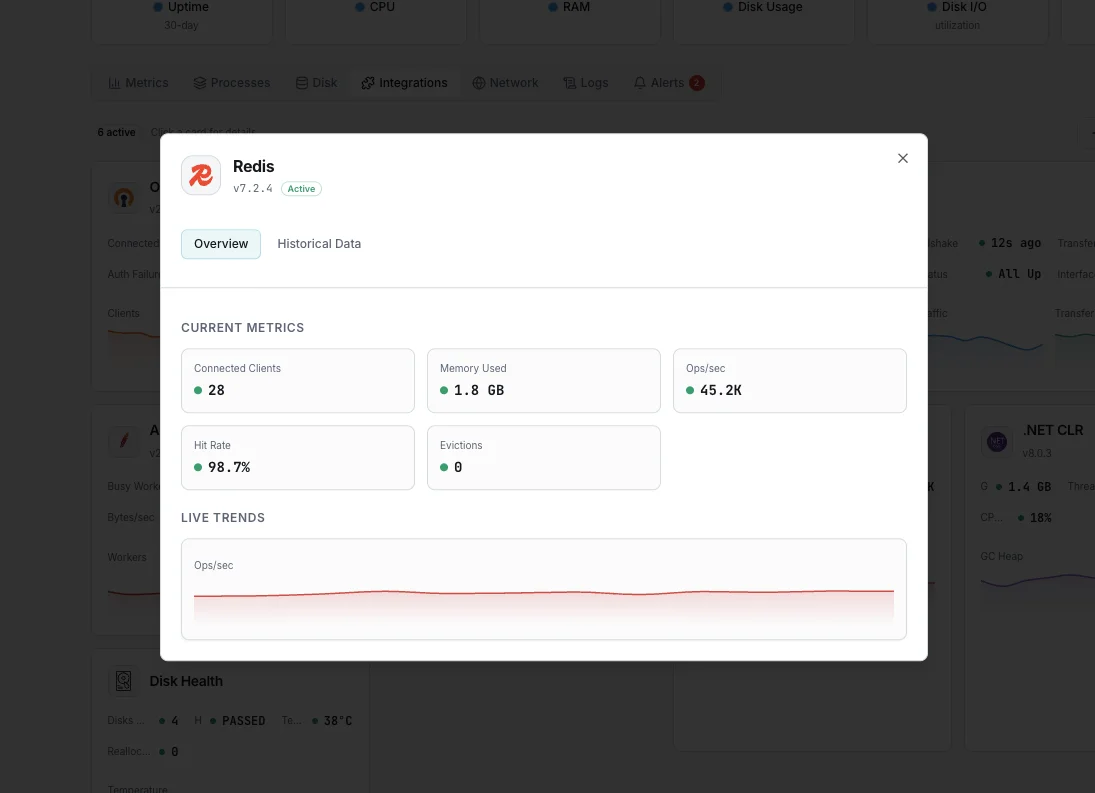
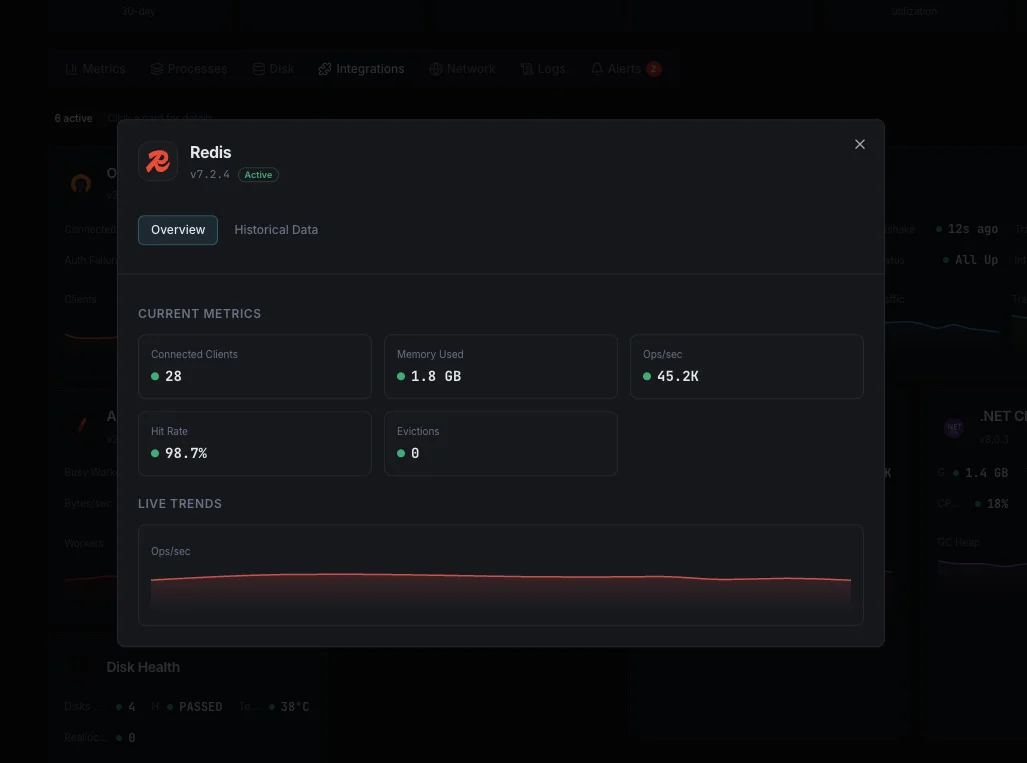
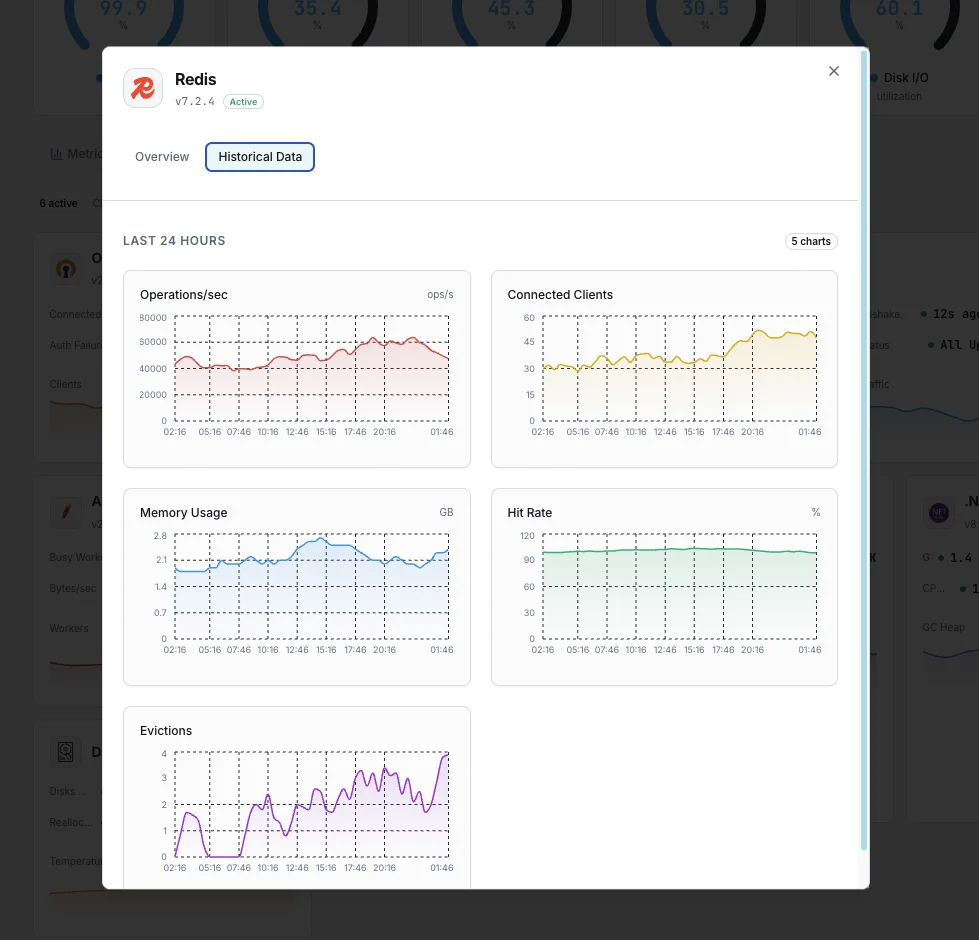
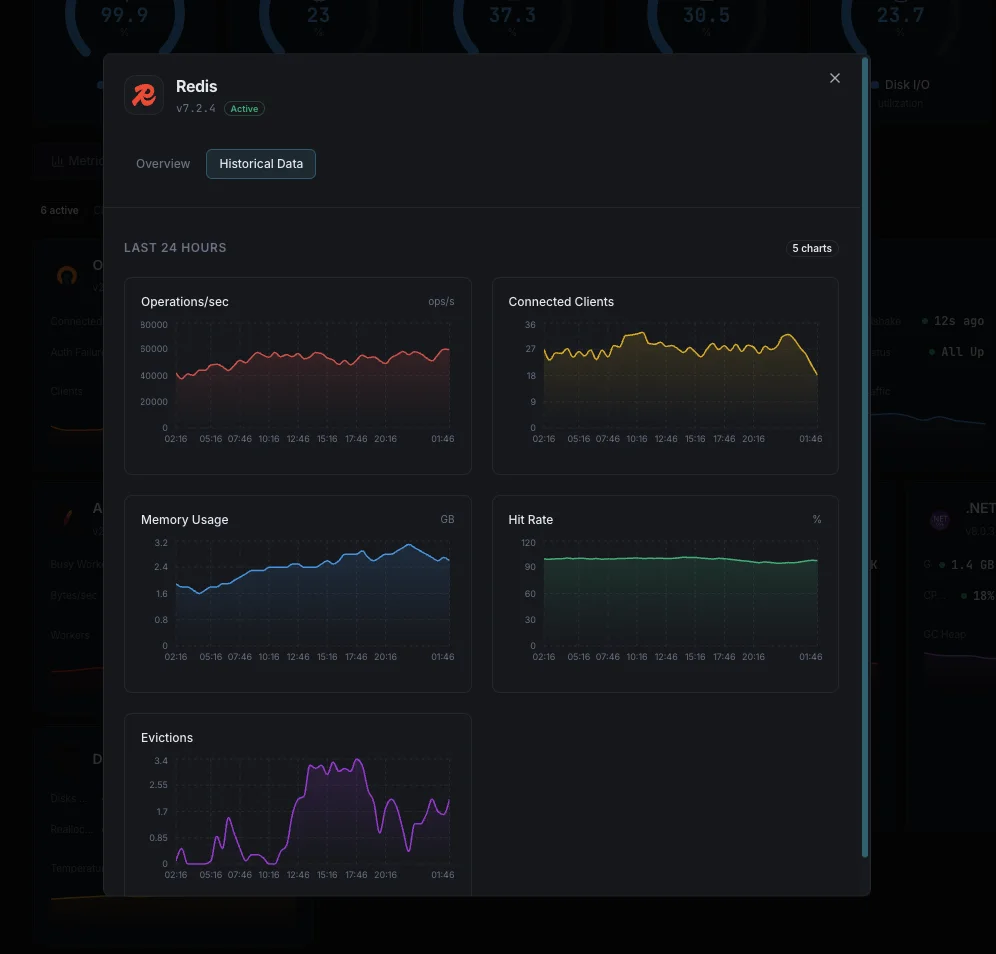
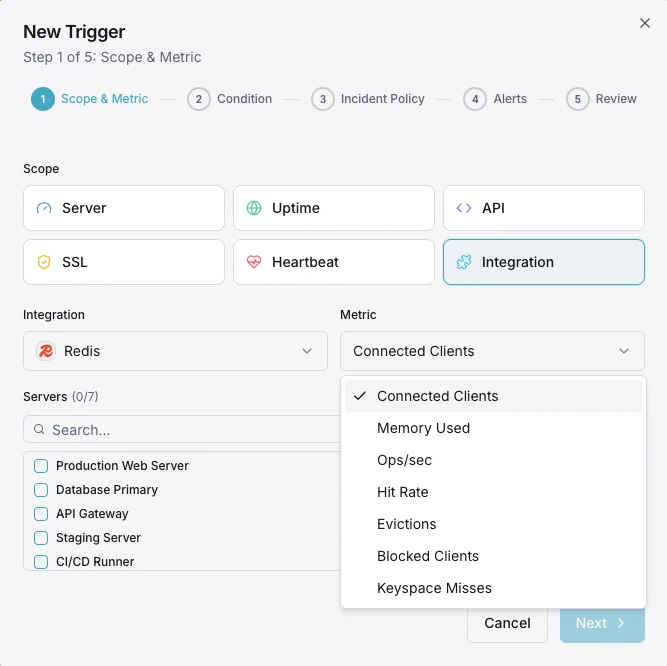
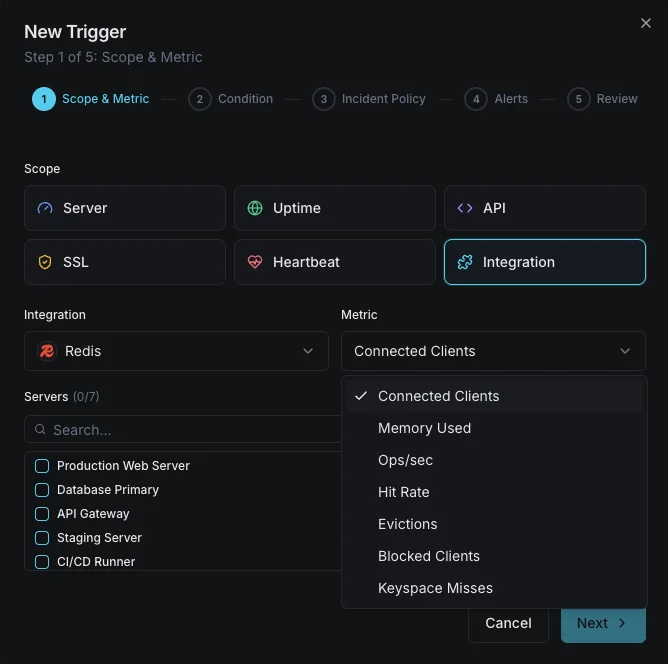
Memoria usada
Memoria total asignada por Redis incluyendo overhead.
Ratio de fragmentación de memoria
Ratio entre la memoria asignada por el SO y la asignada por Redis. Valores superiores a 1,5 indican fragmentación.
Clientes conectados
Número de conexiones de cliente actualmente conectadas.
Clientes bloqueados
Número de clientes esperando una llamada bloqueante (BLPOP, BRPOP, etc.).
Tasa de aciertos del keyspace
Porcentaje de búsquedas de claves exitosas frente a fallidas, indicando la efectividad de la caché.
Claves expulsadas
Número de claves eliminadas debido a la política maxmemory.
Claves caducadas
Número de claves eliminadas debido a expiración de TTL.
Comandos por segundo
Tasa de comandos procesados por el servidor Redis.
Tamaño del keyspace
Número total de claves almacenadas en todas las bases de datos.
Offset de replicación
Delta de offset de replicación entre master y replicas.
Última copia RDB
Tiempo desde el último snapshot RDB exitoso.
Reescritura AOF
Estado y duración de las operaciones de reescritura AOF.
Configurables condiciones de activación de alertas
Configura alertas personalizadas en tu panel de control para recibir una notificación en cuanto las métricas de «Redis» superen los umbrales que hayas definido.
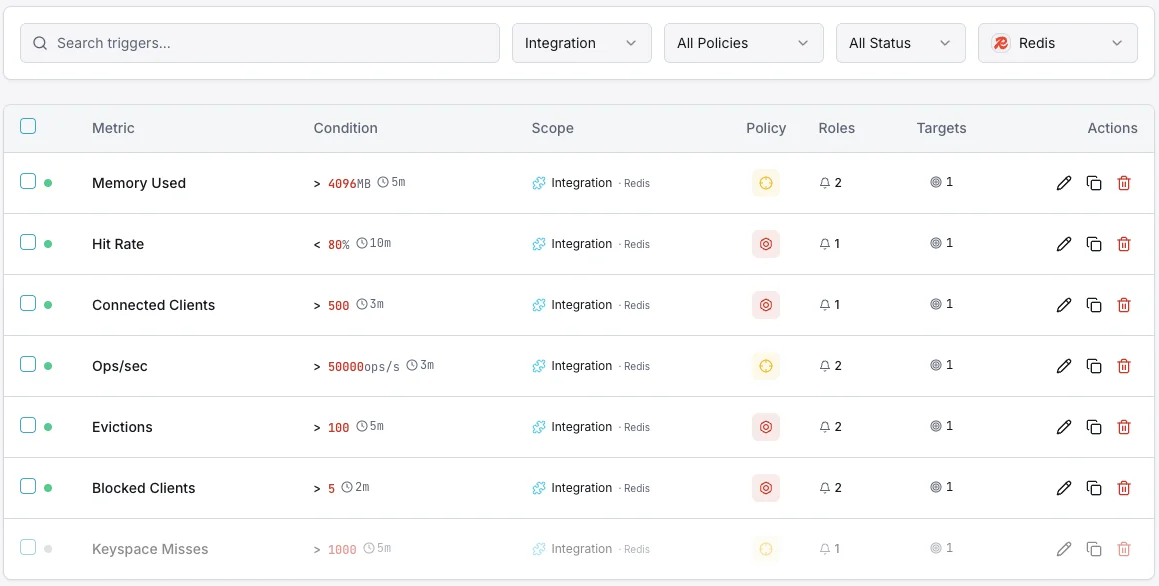
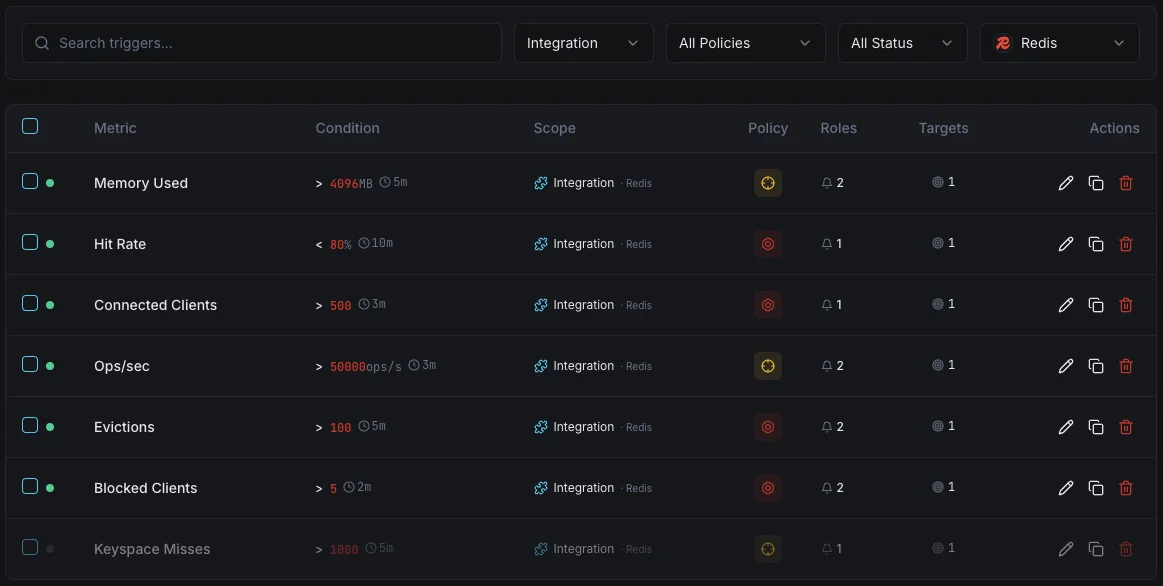
Uso de memoria
críticoSe dispara cuando el consumo de memoria de Redis supera su umbral, con riesgo de OOM kills o tormentas de evicciones.
Clientes conectados
advertenciaSe activa cuando las conexiones de cliente superan el umbral, indicando posibles fugas de conexión.
Tasa de aciertos del keyspace
advertenciaAlerta cuando la tasa de aciertos cae por debajo del umbral, indicando ineficiencia de caché o cambios de working set.
Claves expulsadas
críticoSe dispara cuando la tasa de evicciones se dispara, lo que significa que Redis está eliminando activamente datos para mantenerse dentro de los límites de memoria.
Clientes bloqueados
advertenciaSe activa cuando los clientes están bloqueados esperando operaciones, indicando congestión de cola.
Lag de replicación
críticoAlerta cuando el offset de las replicas se retrasa respecto al master, con riesgo de inconsistencia de datos en escenarios de failover.
Importancia de la monitorización de Redis
Redis es la columna vertebral del rendimiento para aplicaciones modernas: gestiona sesiones, caché, rate limiting y analítica en tiempo real. Sin monitorización, la presión de memoria, las tormentas de evicciones y la deriva de replicación pueden degradar silenciosamente toda su pila aplicativa.
- Detecte la presión de memoria antes de que los OOM kills hagan caer su instancia
- Monitorice las tasas de aciertos para asegurar un rendimiento óptimo de la aplicación
- Realice un seguimiento de los patrones de eviction para dimensionar correctamente la asignación de memoria
- Identifique fugas de conexión provenientes de clientes de aplicación
- Garantice la consistencia de la replicación para configuraciones de alta disponibilidad
Por qué elegir Xitoring
Xitoring ofrece monitorización de Redis de nivel empresarial con configuración zero-config. Nuestro agente ligero detecta automáticamente sus instancias Redis, empieza a recopilar métricas en menos de 60 segundos e se integra con sus canales de notificación existentes.
- Instalación con un solo comando: sin YAML complejo ni archivos de configuración
- Más de 15 nodos de monitorización globales para comprobaciones de baja latencia
- Panel unificado para servidores, cachés y uptime
- Alertas flexibles vía Slack, PagerDuty, Telegram y más
- Retención histórica para planificación de capacidad y auditorías
Escenarios habituales de monitoreo de Redis
Dónde suele ejecutarse Redis hoy en día, y qué podría salir mal si nadie está vigilando.
Acelerar una aplicación web o API
Redis mantiene las aplicaciones web rápidas al recordar los resultados de trabajos repetidos. Cuando la caché se llena o deja de ser efectiva, cada solicitud se vuelve más lenta y la base de datos subyacente se sobrecarga. Detectamos el momento en que la caché deja de proteger tu aplicación para que el equipo pueda intervenir antes de que los usuarios lo noten.
Caché de alta disponibilidad distribuida entre servidores
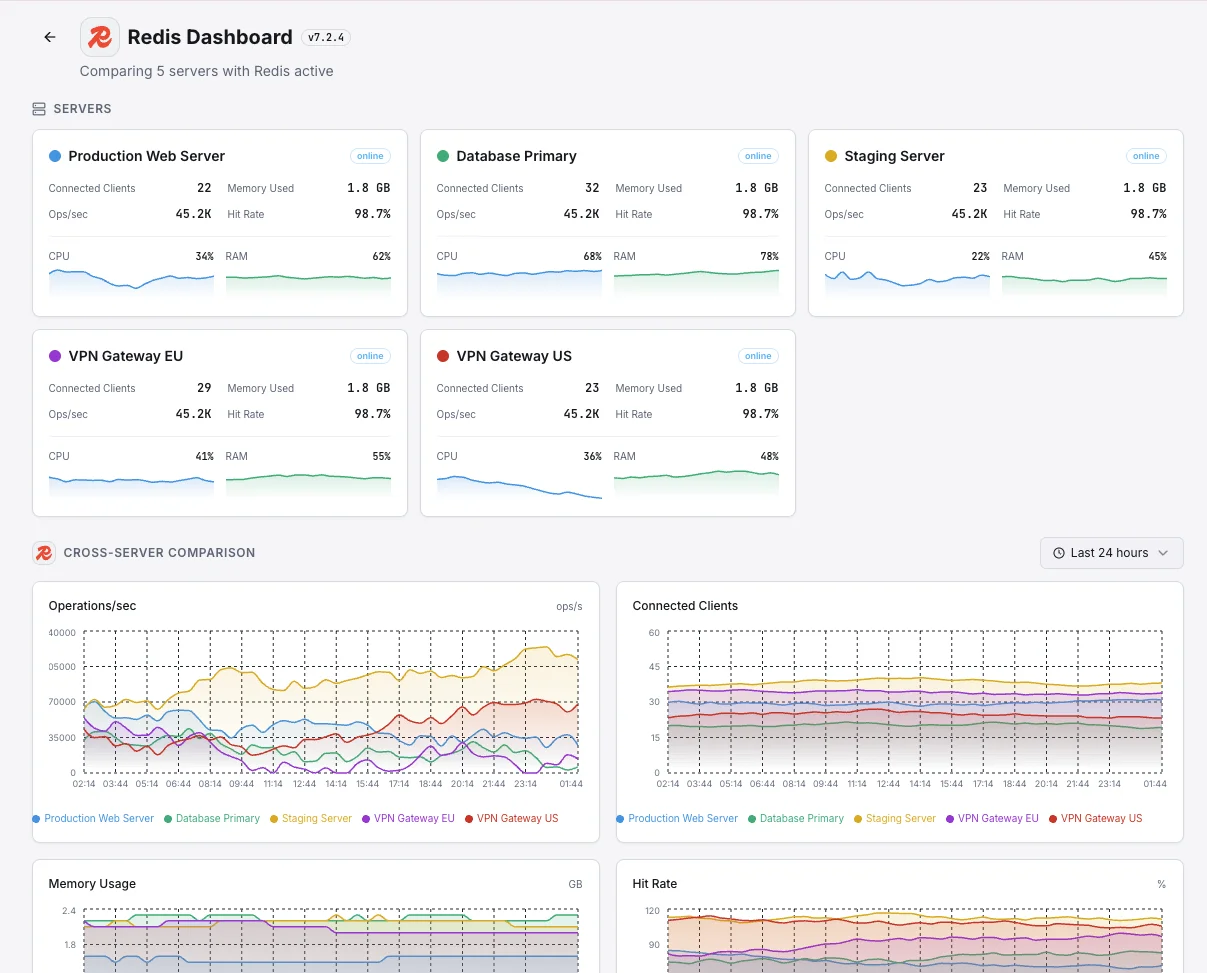
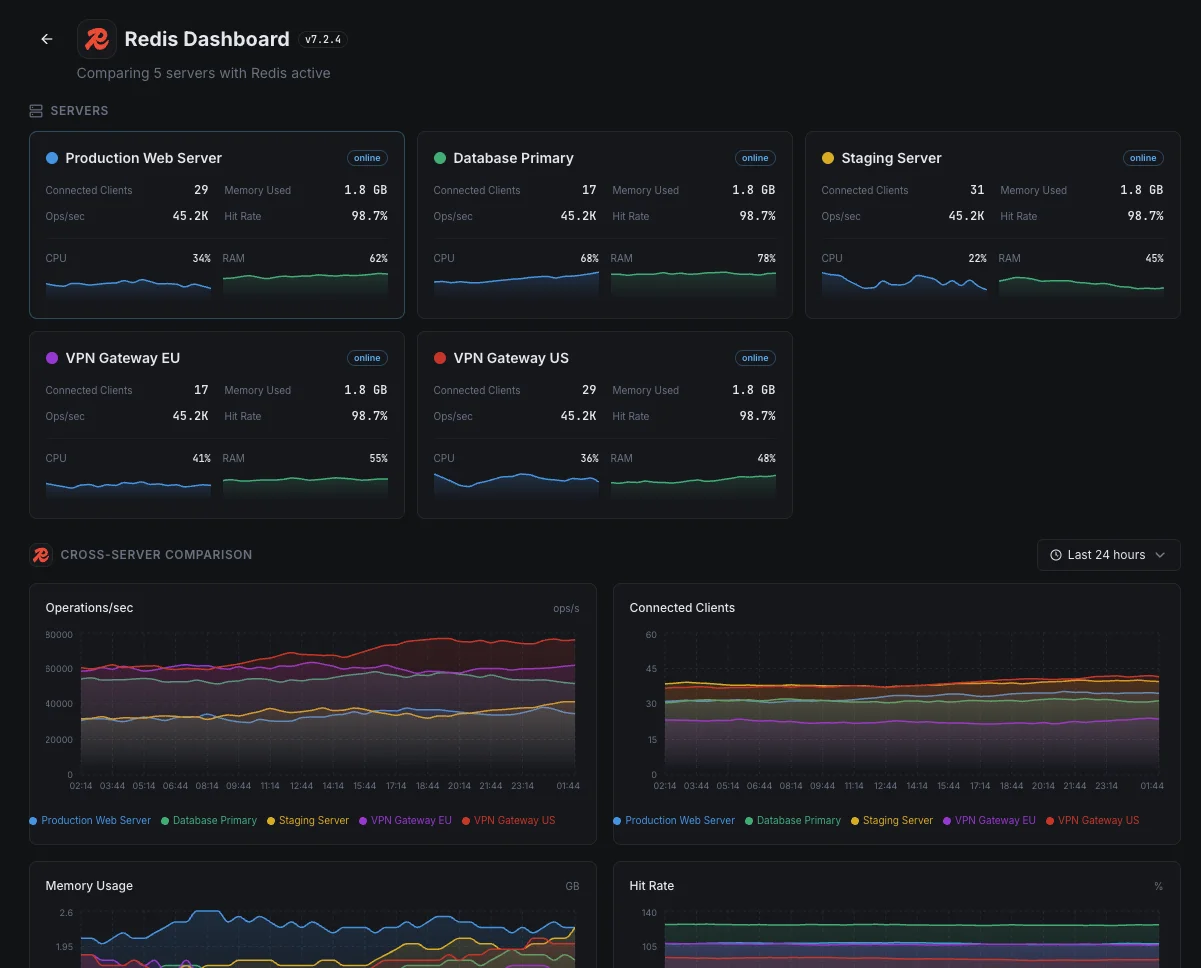
Las aplicaciones de producción distribuyen Redis en múltiples servidores para que un solo fallo no pueda derribar la caché. Cuando las copias se desincronizan, la red de seguridad es más débil de lo que parece. Detectamos la desincronización temprano para que la conmutación por error permanezca tan invisible como se supone que debe ser.
Inicios de sesión, sesiones y limitación de velocidad
Cuando Redis almacena sesiones de usuario o aplica límites de solicitud, alcanzar su límite de conexiones significa que los usuarios son repentinamente desconectados o bloqueados del sitio. Mostramos la tendencia antes de que se alcance el límite, para que se resuelva mucho antes de que alguien llame a soporte.
Requisitos previos para Redis
Asegúrate de tener todo esto en su sitio — la mayoría de las instalaciones tardan 60 segundos una vez listo.
- Redis 5.x o más reciente en ejecución
- Contraseña AUTH si requirepass está configurado
- Conectividad de red desde Xitogent hacia la instancia Redis (puerto predeterminado 6379)
Empieza con minutos
Instalar Xitogent en tu servidor
Si aún no lo has hecho, instala el agente de monitorización ligero Xitogent en tu servidor.
curl -s https://xitoring.com/install.sh | sudo bash -s -- --key=YOUR_API_KEYAsegurar la accesibilidad del comando INFO de Redis
Xitogent usa el comando INFO de Redis para recolectar métricas. Asegúrate de que tu instancia de Redis permite conexiones locales:
redis-cli INFO server | head -5Habilitar la integración de Redis
Usa el panel de Xitoring o la CLI para habilitar la integración de Redis. Xitogent detectará automáticamente tu instancia de Redis.
sudo xitogent integrateConfigurar umbrales de alerta (opcional)
Define umbrales personalizados para métricas como uso de memoria, tasa de aciertos o número de evictions para recibir notificaciones cuando algo requiera atención.
Verifica que funciona
Ejecuta este comando en el servidor para confirmar que Xitogent ha detectado la integración. En unos 30 segundos comenzarán a llegar métricas nuevas a tu panel.
sudo xitogent status¿Estás considerando alternativas?
Mira cómo se compara Xitoring frente a las alternativas para la supervisión de Redis: precios planos, integraciones más profundas y un solo agente que cubre todo tu stack.



Con frecuencia preguntas formuladas
¿La integración con Redis requiere autenticación?
¿Afectará esta integración al rendimiento de Redis?
¿Puedo supervisar Redis Cluster?
¿Puedo supervisar Redis Sentinel?
¿Qué versiones de Redis son compatibles?
¿Con qué frecuencia se recopilan los datos?
¿Cómo monitoreo la replicación de Redis?
¿Puedo monitorear Redis Cluster, Sentinel, KeyDB y Valkey?
¿Qué versiones de Redis son compatibles?
Empieza a seguir a Redis hoy
Se configura en menos de 60 segundos. No se necesita tarjeta de crédito. Estadísticas completas desde el primer día.
Empieza tu prueba gratuitaSigue explorando