WireGuard Monitoring
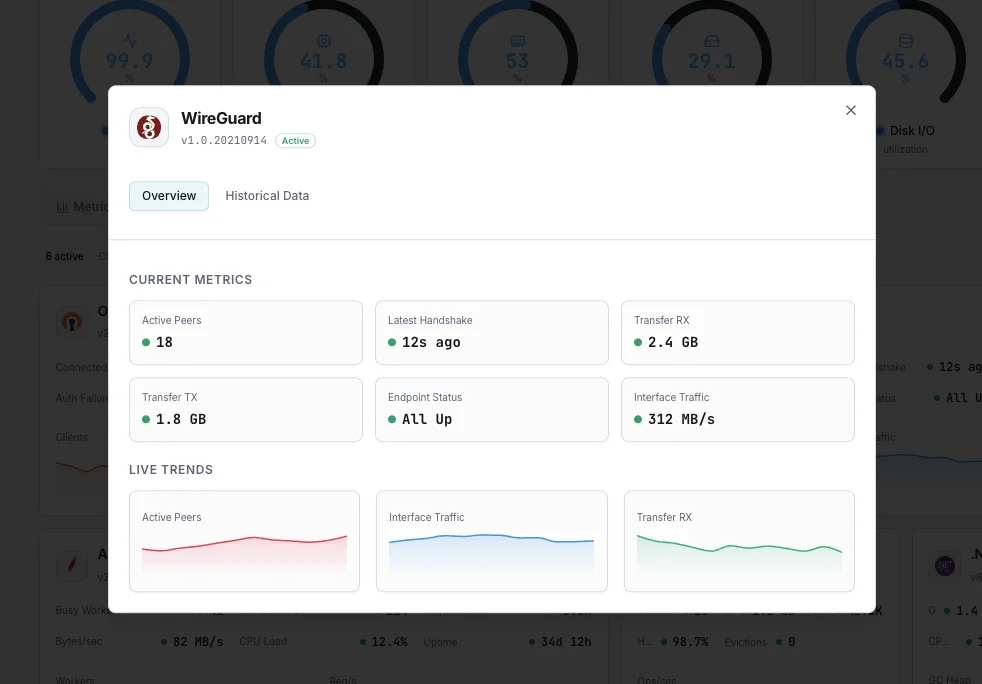
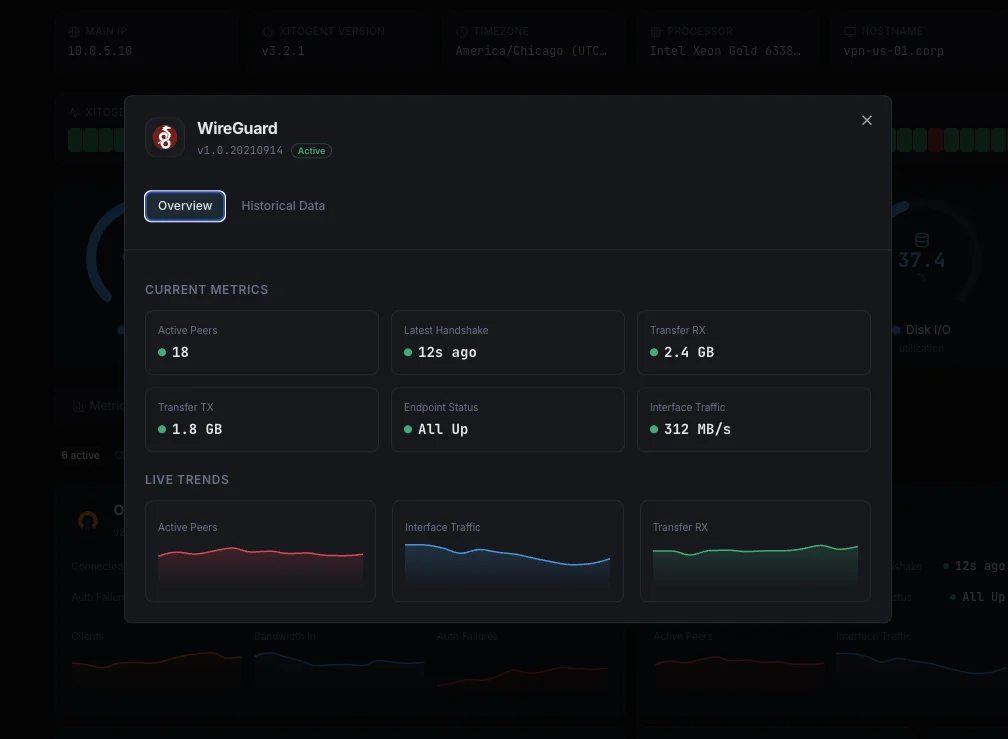
Monitor WireGuard peer handshake age (alert if > 3 min), per-peer transfer_rx/tx bytes, endpoint reachability, allowed-IP routes, and interface-level packets/errors in real time — via `wg show all dump`.
Why monitor WireGuard?
WireGuard is the modern in-kernel VPN — fast, simple, and silently stateless. There's no 'disconnect' event when a peer dies, so without monitoring, you only learn a tunnel is down when users report it. Tracking handshake age per peer is the canonical liveness signal: catch dead peers within the polling interval, before they become support tickets.
WireGuard monitoring, explained
WireGuard monitoring catches dead peers (no recent handshake = silent disconnection), endpoint changes (a peer's public IP moved or a NAT mapping expired), per-peer bandwidth abuse, and interface-level packet errors before they manifest as "my VPN sometimes doesn't work" reports. Because WireGuard is stateless UDP — there's no "connect" or "disconnect" event like OpenVPN — handshake age is the canonical "is this peer alive" signal. For remote-access VPN servers, site-to-site tunnels, Kubernetes pod-to-pod encryption via Cilium, and mesh networks (Tailscale / NetBird), per-peer handshake-age visibility is what separates a 60-second alert on a dropped tunnel from finding peers offline for hours. Xitoring auto-discovers every wg* interface, reads wg show all dump, and routes alerts to Slack, PagerDuty, Telegram, or your existing on-call.
What we monitor
Active Peers
Count of peers with handshake age < 3 minutes (live by WireGuard's standard liveness inference). Compare against total configured peers to spot offline peers.
Latest Handshake (per peer)
Unix epoch timestamp of the most recent successful handshake per peer. The single most important WireGuard metric — alert when `now - latest_handshake > 180s` (3 minutes).
Handshake Age Distribution
Buckets of peers by handshake age (< 30s, 30s-2min, 2-5min, 5-15min, > 15min). Drift toward higher buckets across the fleet = upstream connectivity issue.
Transfer RX (per peer)
`transfer_rx_bytes` per peer (received from peer). Tracks ingress bandwidth use — surfaces bandwidth abuse and asymmetric traffic patterns.
Transfer TX (per peer)
`transfer_tx_bytes` per peer (sent to peer). Pair with RX to compute transfer ratio — heavy outbound = peer downloading through tunnel.
Endpoint per Peer
Public address:port the peer is currently reachable at. Endpoint changes signal NAT remapping, mobile peer movement, or peer-side IP rotation.
Allowed IPs
List of subnets routed to each peer (used both for routing and access control). Unexpected changes flag config drift; missing entries explain mysterious connectivity gaps.
Persistent Keepalive
Keepalive interval per peer (default `0` = none; typical NAT-traversal value is `25` seconds). Peers behind NAT without keepalive will appear dead after NAT mapping expires.
Interface RX / TX Bytes
Total bytes on the `wg*` interface from `ip -s link`. Aggregate throughput across all peers — for capacity planning.
Interface Packets / Errors / Dropped
Kernel-side packet counters. RX errors / drops signal MTU misconfiguration (WireGuard adds 80 bytes overhead — typical MTU 1420 on 1500 link) or kernel buffer overflow.
Listen Port
UDP port the WireGuard interface is bound to (default 51820). Surfaced for inventory + change detection.
Peer Count (total / configured)
Number of peer entries in the interface config vs number currently alive. Gap = peers configured but never connecting (wrong key, wrong endpoint, firewall block).
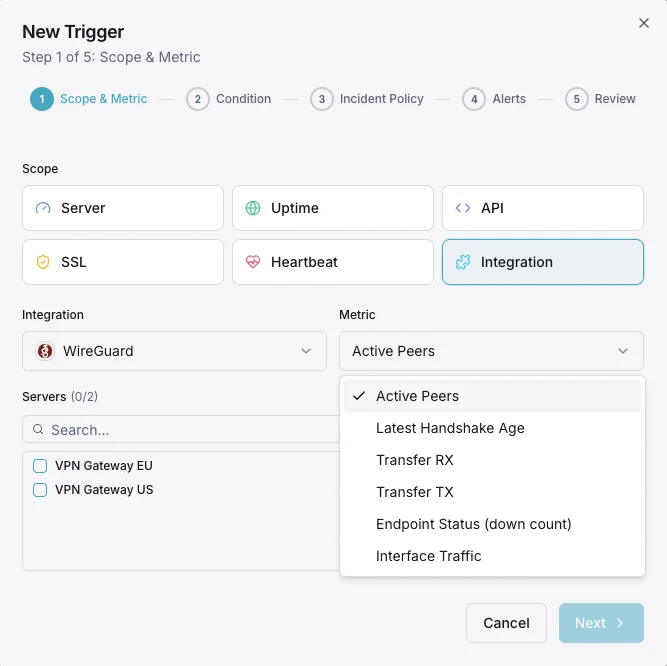
Configurable alert triggers
Set up custom triggers in your dashboard to get notified the moment WireGuard metrics cross your defined thresholds.
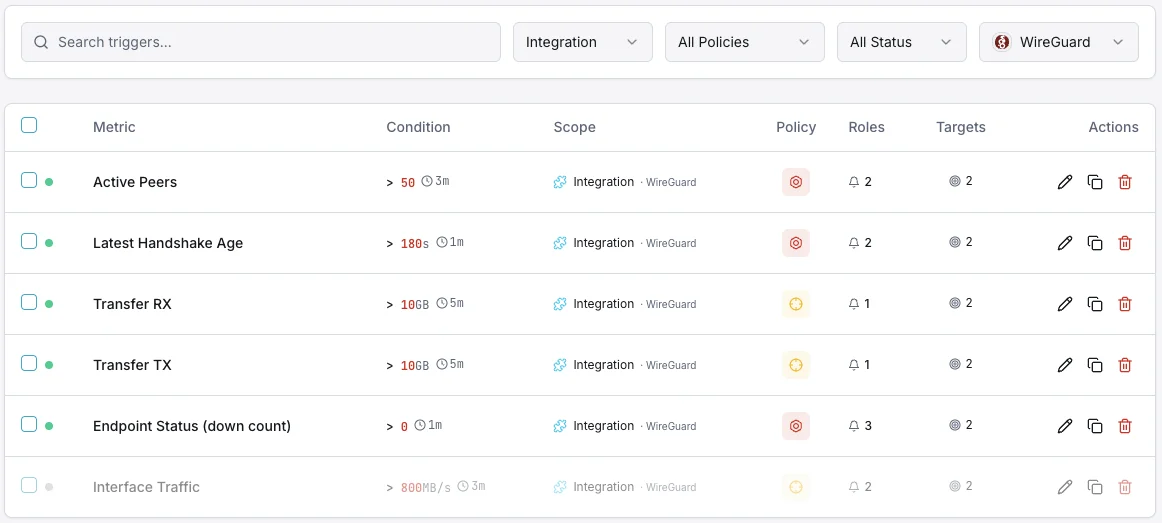
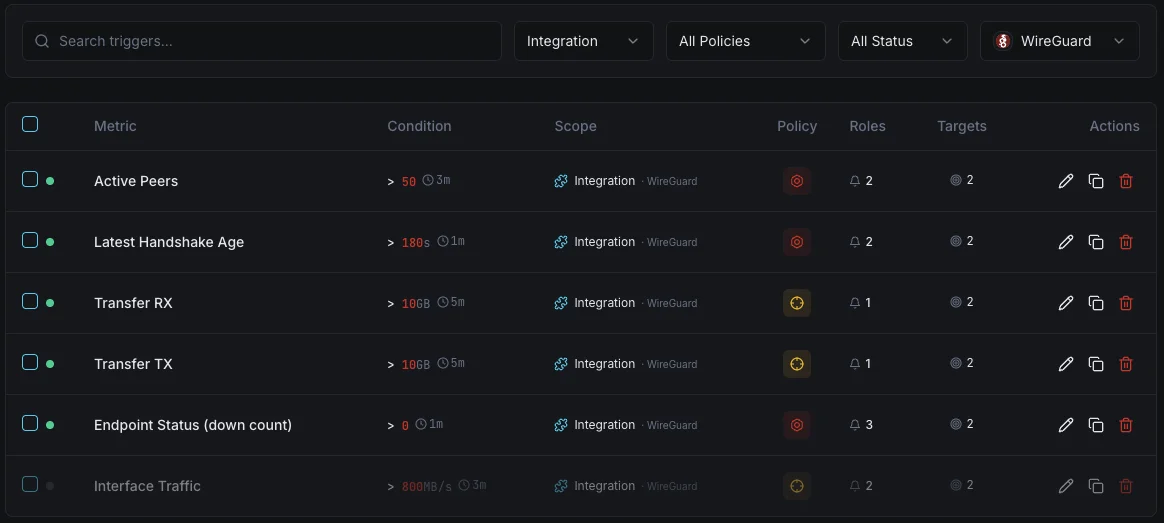
Handshake Stale
criticalFires when handshake is too old, indicating peer disconnection.
Peer Down
criticalAlerts when expected peer is unreachable.
Transfer Rate
warningTriggers on abnormal transfer patterns.
Importance of WireGuard Monitoring
WireGuard's simplicity hides silent failures. Stale handshakes and peer disconnections go unnoticed without monitoring.
- Detect stale handshakes indicating lost connectivity
- Monitor peer availability
- Track transfer rates per peer
- Ensure tunnel health
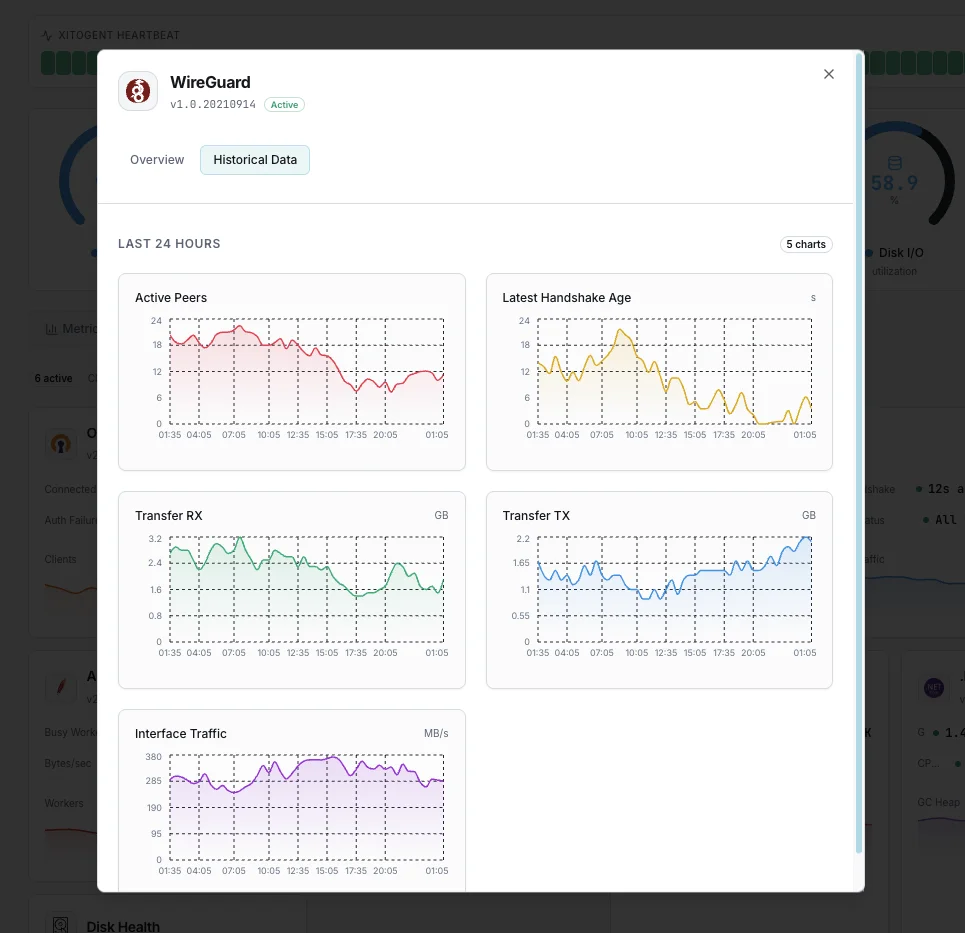
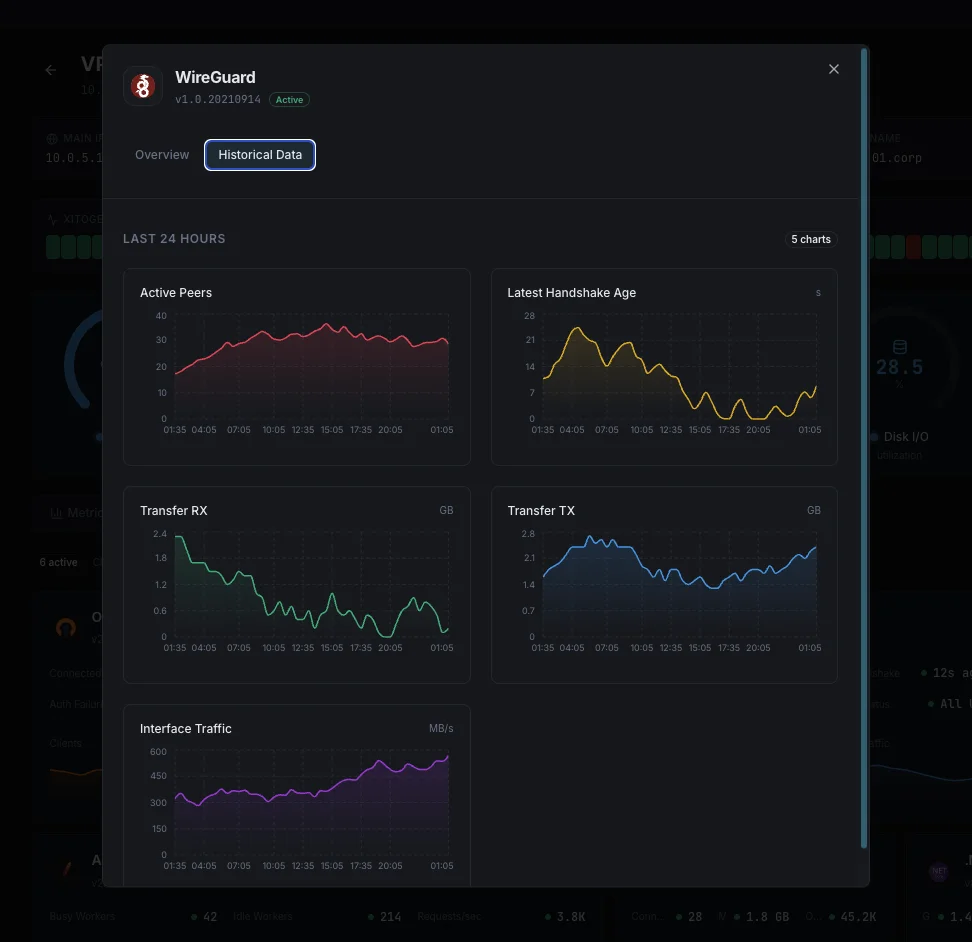
Why Choose Xitoring
Zero-config WireGuard monitoring.
- One-command install
- Global nodes
- Unified dashboard
- Multi-channel alerts
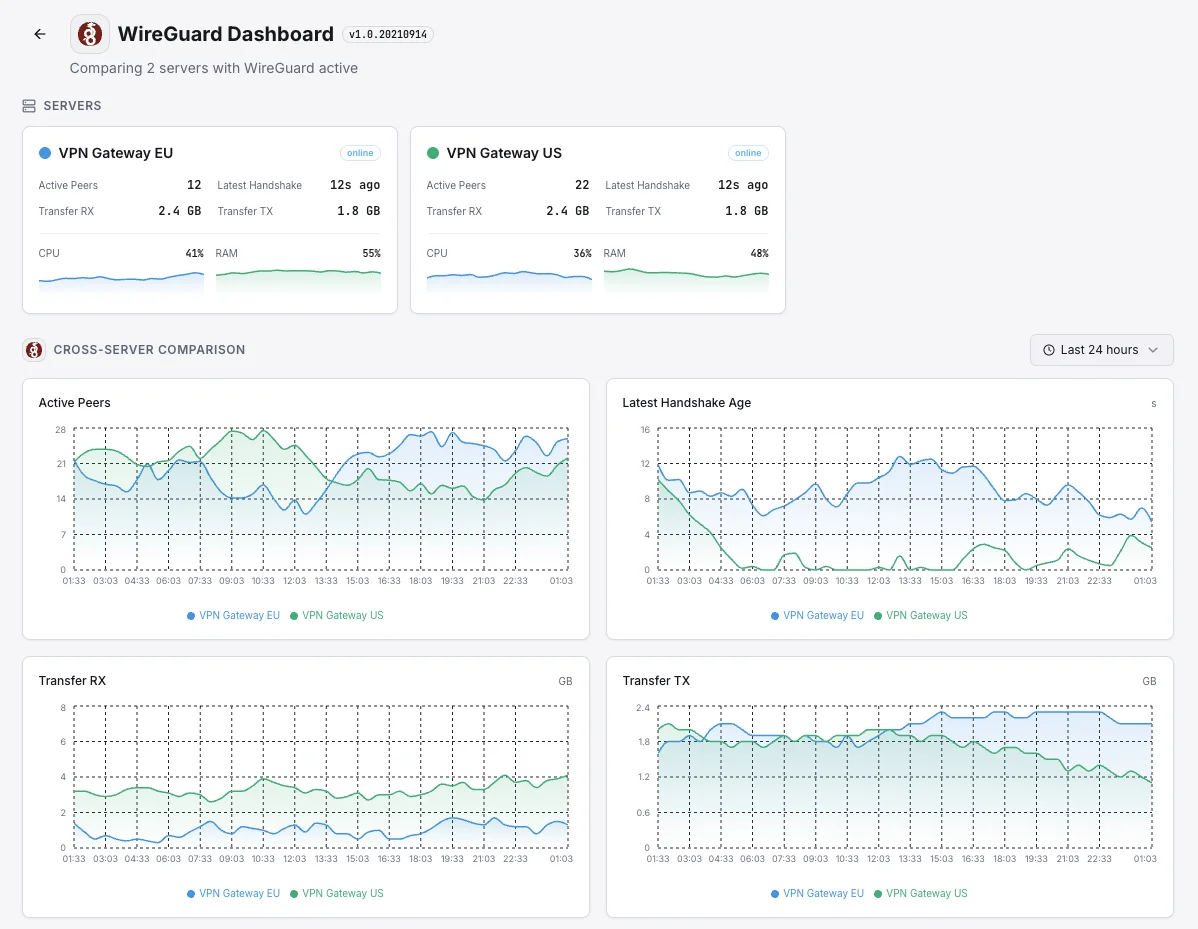
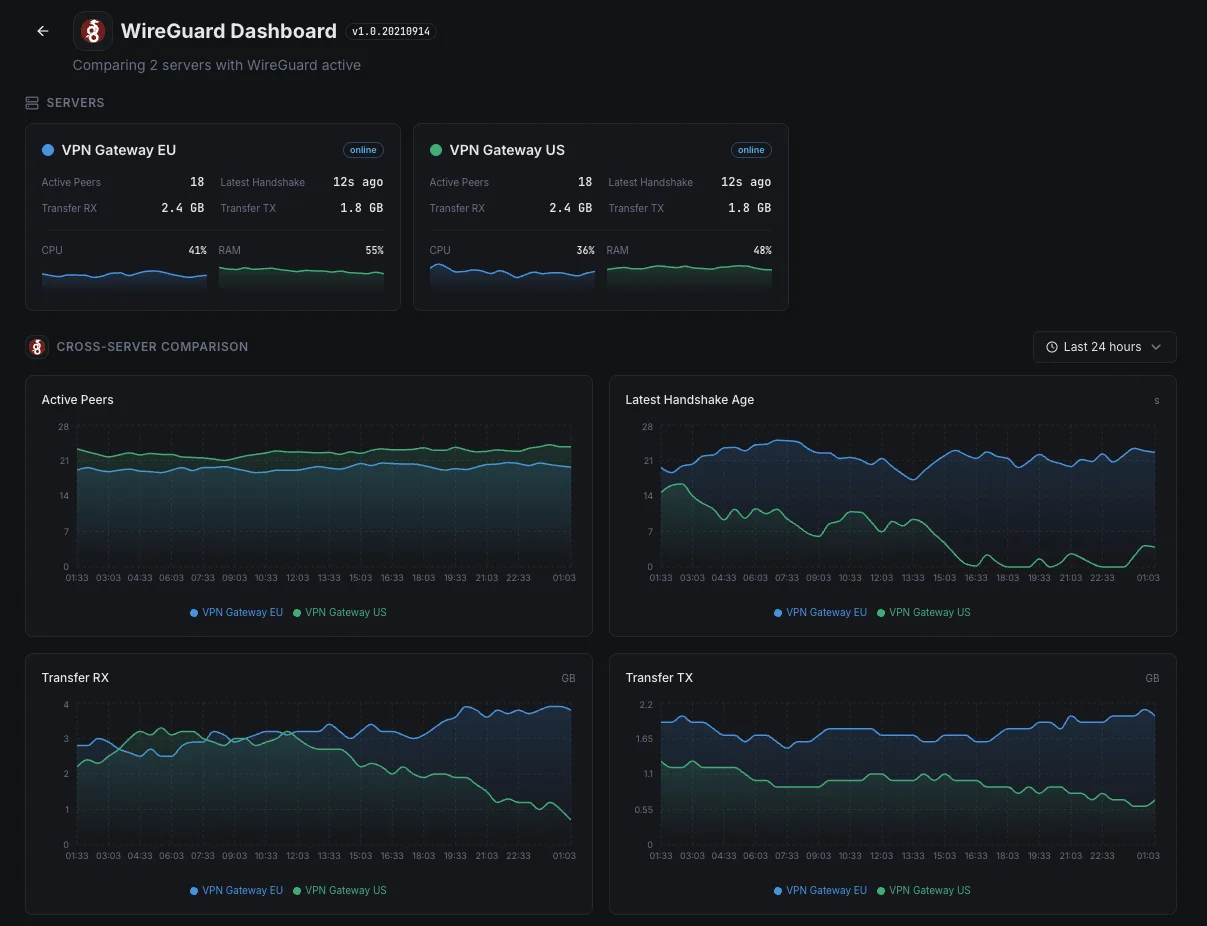
Common WireGuard monitoring scenarios
Where WireGuard typically runs today — and what could go wrong if no one's watching.
Modern remote-access VPN for staff
WireGuard quietly stops talking to a user when their connection dies — there's no error, just silence. We catch the dropped tunnel the moment it happens so IT can fix it before staff are stuck and start calling support.
Encrypted traffic between Kubernetes servers
Modern Kubernetes setups encrypt the traffic between servers so internal data stays private. If that encryption quietly stops working between two servers, sensitive data could be flowing unprotected. We catch the moment any link goes dark so the protection stays real.
Private networks linking offices, users, and devices
Modern private networks connect dozens or hundreds of users, offices, and devices into one secure mesh. When a single connection silently fails, only a slice of your network is affected — making it hard to spot. We surface the trouble immediately so the right link can be fixed before more users are affected.
Prerequisites for WireGuard
Make sure you've got these in place — most installs are a 60-second job once they are.
- WireGuard kernel module loaded (built-in on Linux kernel 5.6+) — OR
wireguard-gouserspace implementation wireguard-toolsinstalled (wg,wg-quickavailable on PATH)- Root access — WireGuard interface details require it
Get started in minutes
Install Xitogent on your WireGuard host
Install the lightweight Xitogent monitoring agent on the host running WireGuard.
curl -s https://xitoring.com/install.sh | sudo bash -s -- --key=YOUR_API_KEYBring up the WireGuard interface
Activate the tunnel (e.g. `wg-quick up wg0`) and confirm `wg show` returns peer state. Xitogent runs as root, so it can read WireGuard runtime details directly — no extra group setup needed.
sudo xitogent integrateEnable the WireGuard integration
Use the Xitoring dashboard or CLI to enable the WireGuard integration. Xitogent auto-detects every `wg` interface on the host along with its peers.
Configure alert thresholds (optional)
Set custom thresholds for Handshake Stale, Peer Down, or Transfer Rate anomalies so dark tunnels show up in alerts before users complain.
Verify it's working
Run this command on the server to confirm Xitogent picked up the integration. Fresh metrics will start streaming to your dashboard within ~30 seconds.
sudo xitogent statusConsidering alternatives?
See how Xitoring stacks up against the alternatives for WireGuard monitoring — flat pricing, deeper integrations, and one agent that covers your whole stack.



Frequently asked questions
What is WireGuard monitoring?
How do I monitor WireGuard handshake age?
How do I detect WireGuard peer disconnections?
How do I check WireGuard transfer bytes per peer?
How do I monitor WireGuard with Prometheus / Grafana?
WireGuard vs OpenVPN monitoring — what's different?
What MTU should I use with WireGuard?
Does this work with Tailscale, NetBird, or Cilium WireGuard?
Does Xitogent support userspace WireGuard?
Start monitoring WireGuard today
Set up in under 60 seconds. No credit card required. Full metrics from day one.
Start Free TrialKeep exploring