
Dovecot Monitoring
Monitor Dovecot IMAP/POP3/LMTP active sessions, authentication failure rate, `process_limit` warnings, doveadm director ring health, and Sieve filter activity in real time — via `doveadm stats`, the native OpenMetrics exporter, and log analysis.
Why monitor Dovecot?
Dovecot serves IMAP and POP3 for virtually every self-hosted mail stack — Postfix + Dovecot, cPanel/Plesk webmail, mailcow, iRedMail. Auth brute-force attacks are constant, `process_limit` exhaustion silently rejects new connections, and Director cluster drift causes 'my mail disappeared' reports. Monitoring catches all three before they become support tickets.
Dovecot monitoring, explained
Dovecot monitoring catches IMAP/POP3 connection storms, brute-force auth attacks, process_limit exhaustion, LMTP delivery failures, and Director ring drift before they cause mail-access outages or successful credential breaches. For Postfix + Dovecot stacks, cPanel/Plesk webmail (Roundcube/Horde over IMAP), and Dovecot Director HA clusters, per-service visibility is what separates a 60-second alert on a brute-force attempt from finding compromised accounts the next morning. Xitoring auto-discovers your Dovecot, reads native doveadm plus the stats endpoint, and routes alerts to Slack, PagerDuty, Telegram, or your existing on-call.
What we monitor
Active Sessions per Service
Concurrent IMAP, POP3, LMTP, and Submission sessions from `doveadm who`. Tracks per-user and per-IP — useful for both capacity planning and abuse detection.
Authenticated Users
Distinct authenticated users per polling interval. Combined with active sessions reveals connections-per-user (high values may indicate aggressive mobile clients or zombie connections).
Authentication Success Rate
Successful logins per second across all auth backends (passdb plain, LDAP, SQL, OAuth2). Healthy steady state varies by deployment.
Authentication Failure Rate
Failed auth attempts per second. Spikes signal brute-force attacks, credential-stuffing, or misconfigured clients. Pair with anvil penalty-list state for rate-limited-IP detection.
IMAP Command Rate
FETCH / SEARCH / APPEND / STORE rate. Sustained FETCH > 50/sec per client often signals a stuck Apple Mail or Thunderbird loop.
POP3 Command Rate
RETR / DELE / LIST rate. Less common than IMAP in modern setups but still significant on cPanel hosts.
LMTP Delivery Rate
Messages delivered per second from Postfix to Dovecot via LMTP. Drops with no MTA queue movement = LMTP socket / quota / Sieve failure.
process_limit / client_limit Warnings
Dovecot logs `process_limit reached` when `service auth` or `service imap-login` hits its process cap, causing connection refusals. The canonical capacity alert for shared-hosting Dovecot.
Director Ring Status
From `doveadm director ring status` — handshaking / syncing / synced per ring member. Persistent non-synced state = sticky-user routing is broken; mail can land on the wrong backend.
Director Per-User Mapping
From `doveadm director status <user>` — which backend a given user is hashed to. Useful for debugging "my mail looks empty" reports during Director churn.
Mail Storage Volume
Per-user / per-domain mail directory size (from `doveadm quota get`). Catch quota approach before users get bounces; surface heavy users for capacity planning.
Auth Cache Hit Rate
When `auth_cache_size > 0`, tracks hits vs misses against the password cache. Low hit rate (combined with rising auth backend latency) indicates cache too small or LDAP/SQL slowness.
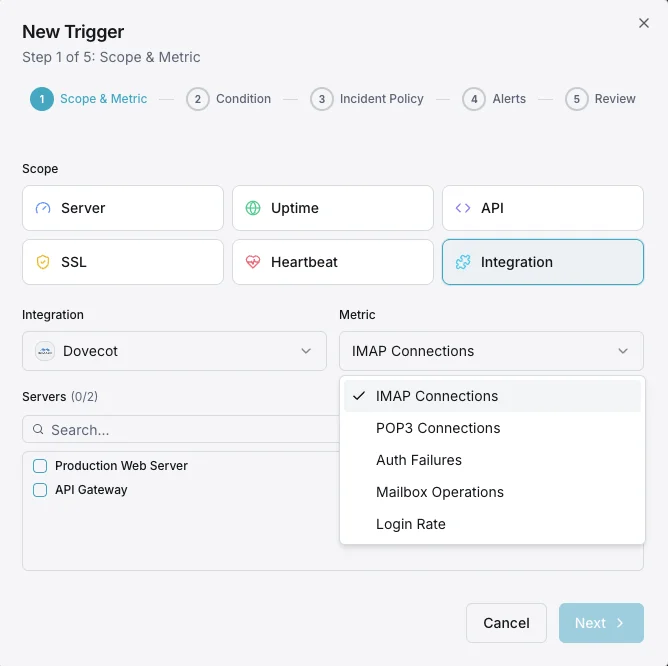
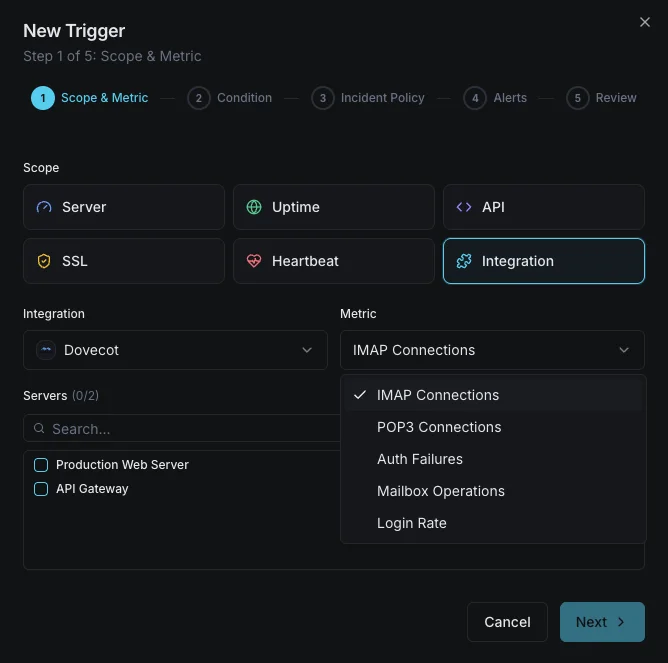
Configurable alert triggers
Set up custom triggers in your dashboard to get notified the moment Dovecot metrics cross your defined thresholds.
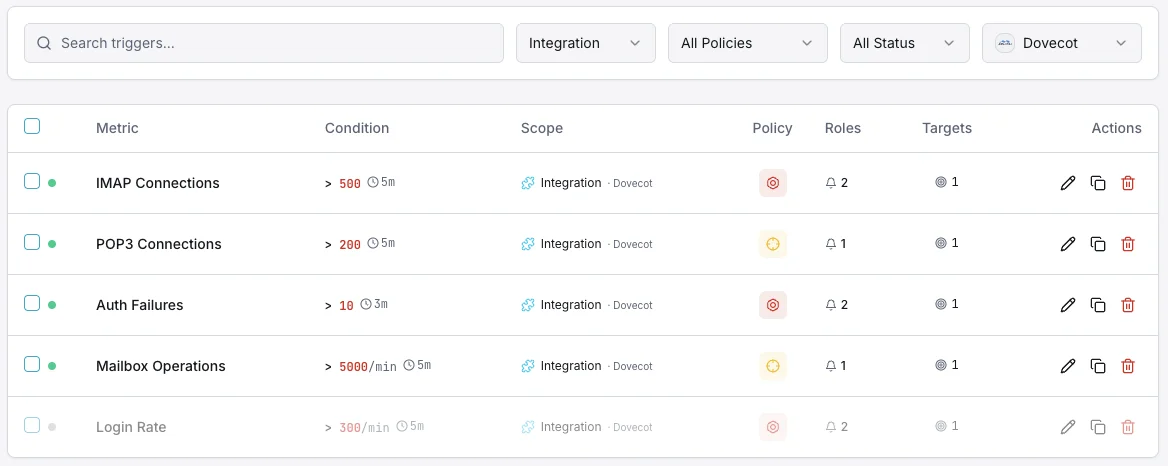
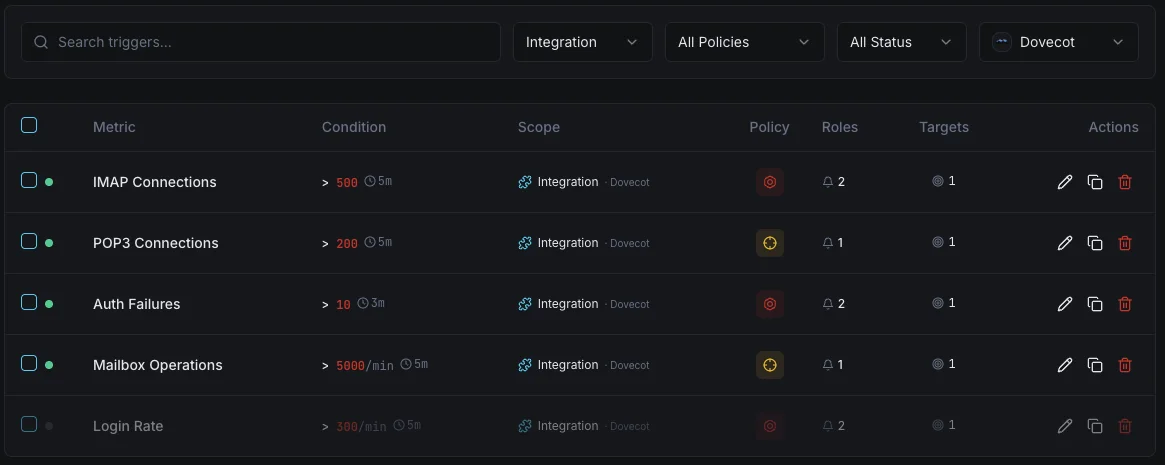
Auth Failures
criticalFires on authentication failure spike, possible brute force.
Connection Count
warningAlerts when connections approach limits.
Login Processes
criticalTriggers when login handlers are exhausted.
Importance of Dovecot Monitoring
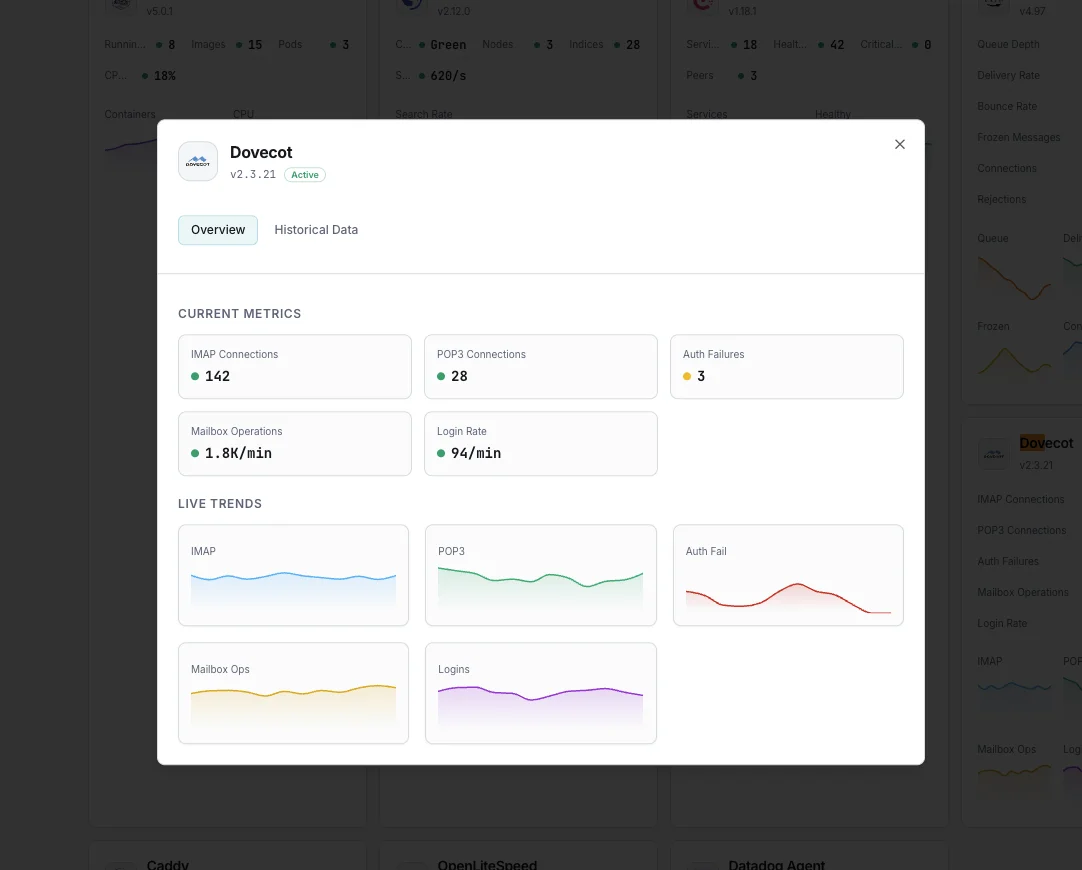
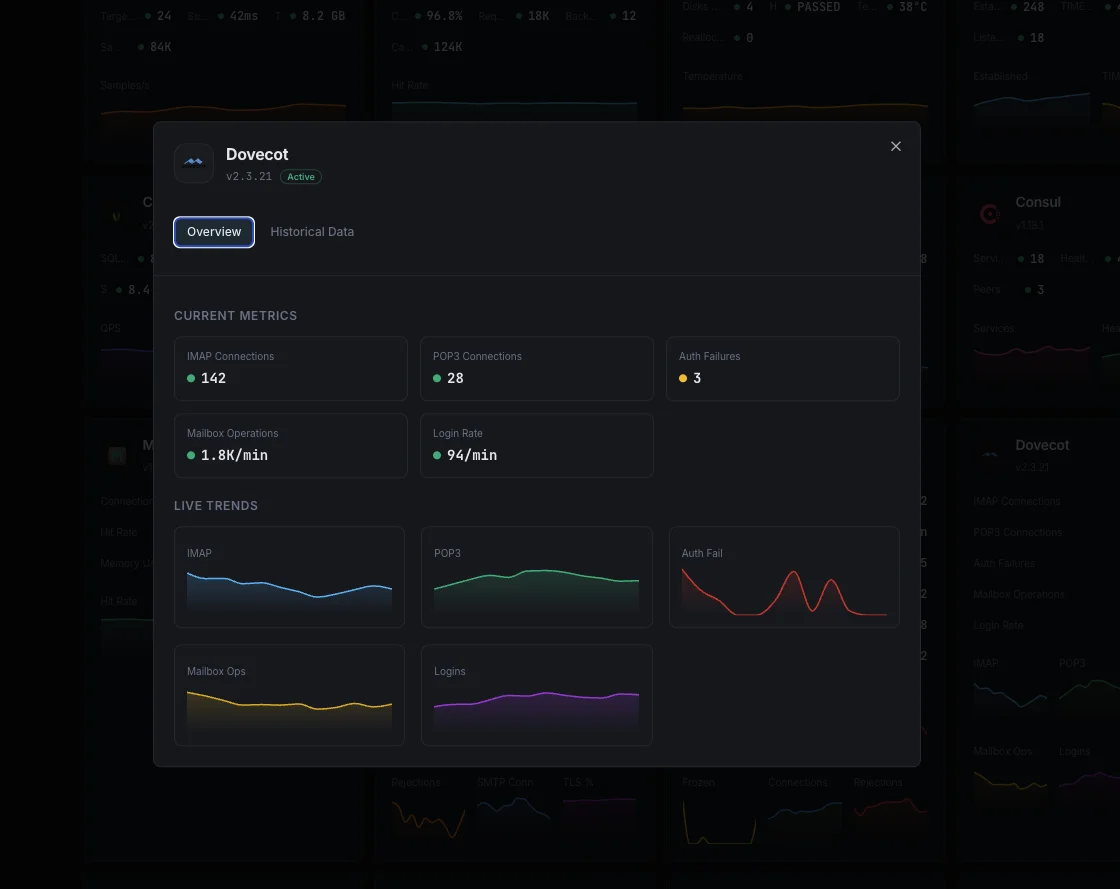
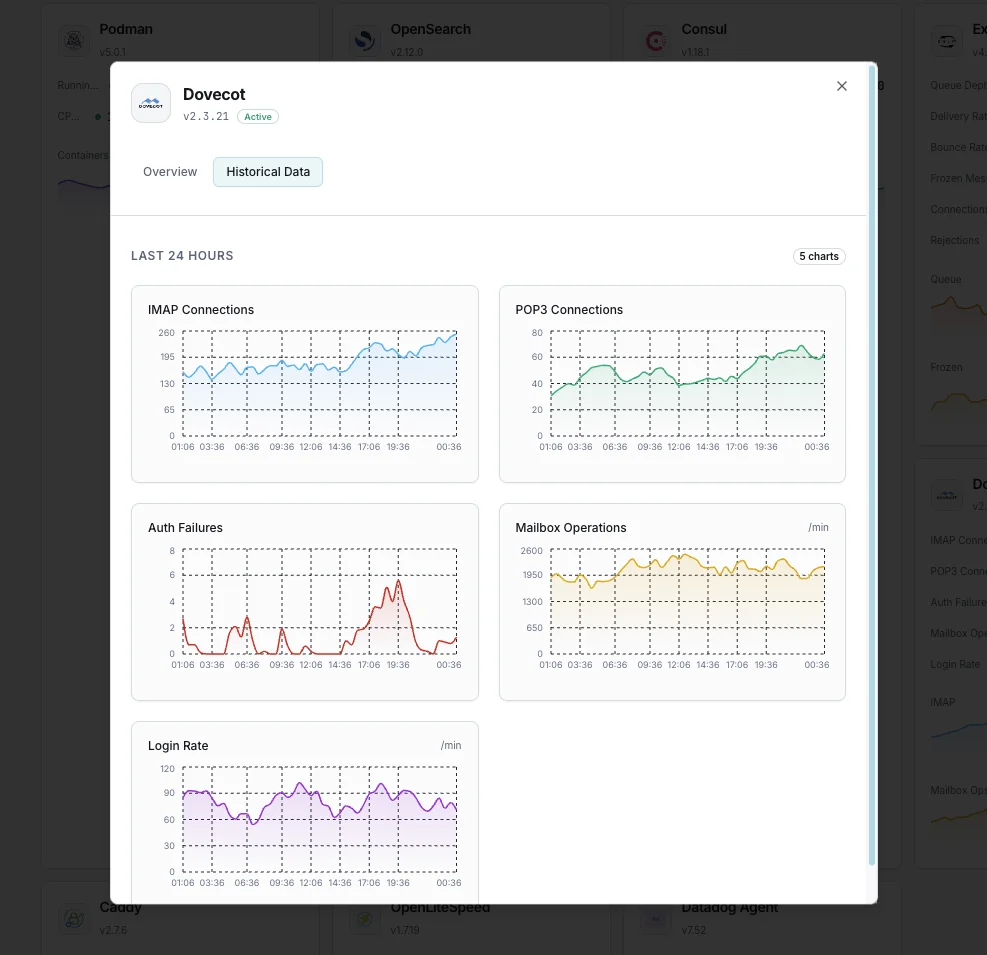
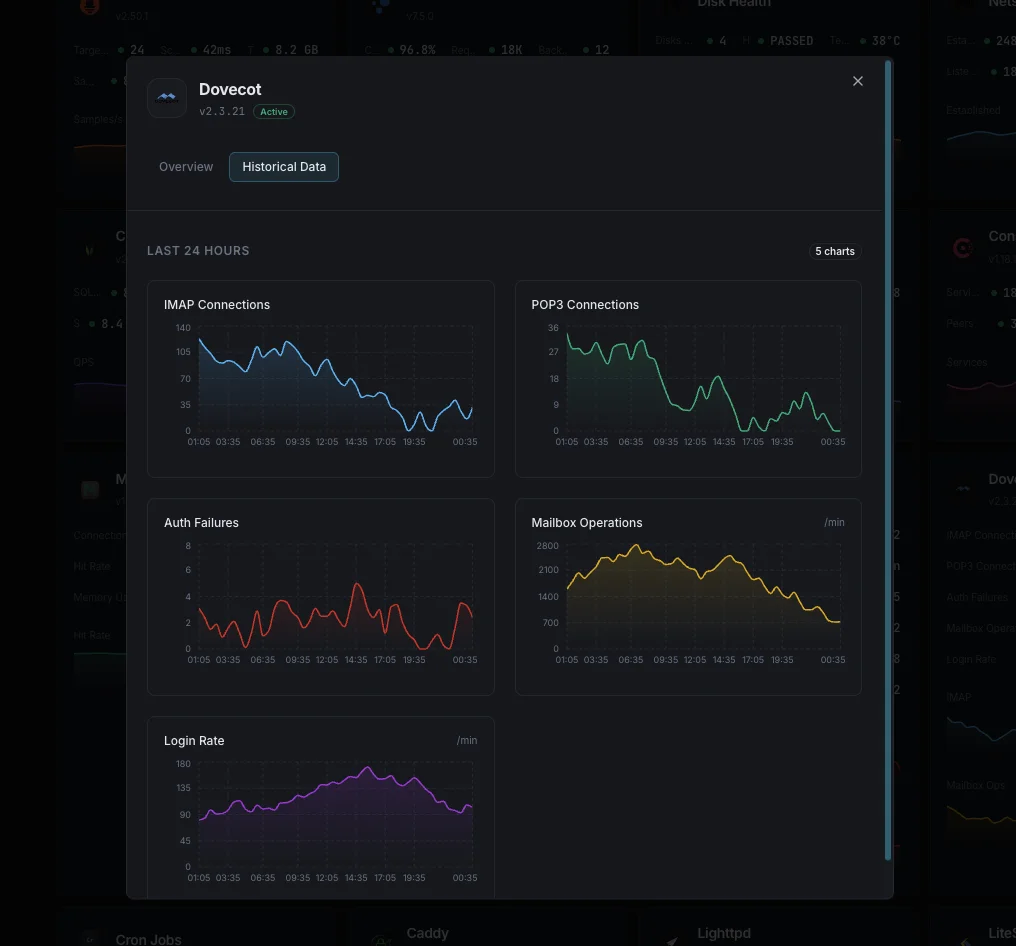
Dovecot provides mail access to millions of users. Authentication failures and connection issues directly impact email access.
- Detect brute force attempts via auth failure spikes
- Monitor connection counts for capacity planning
- Track mailbox operations for performance
- Ensure IMAP/POP3 availability
Why Choose Xitoring
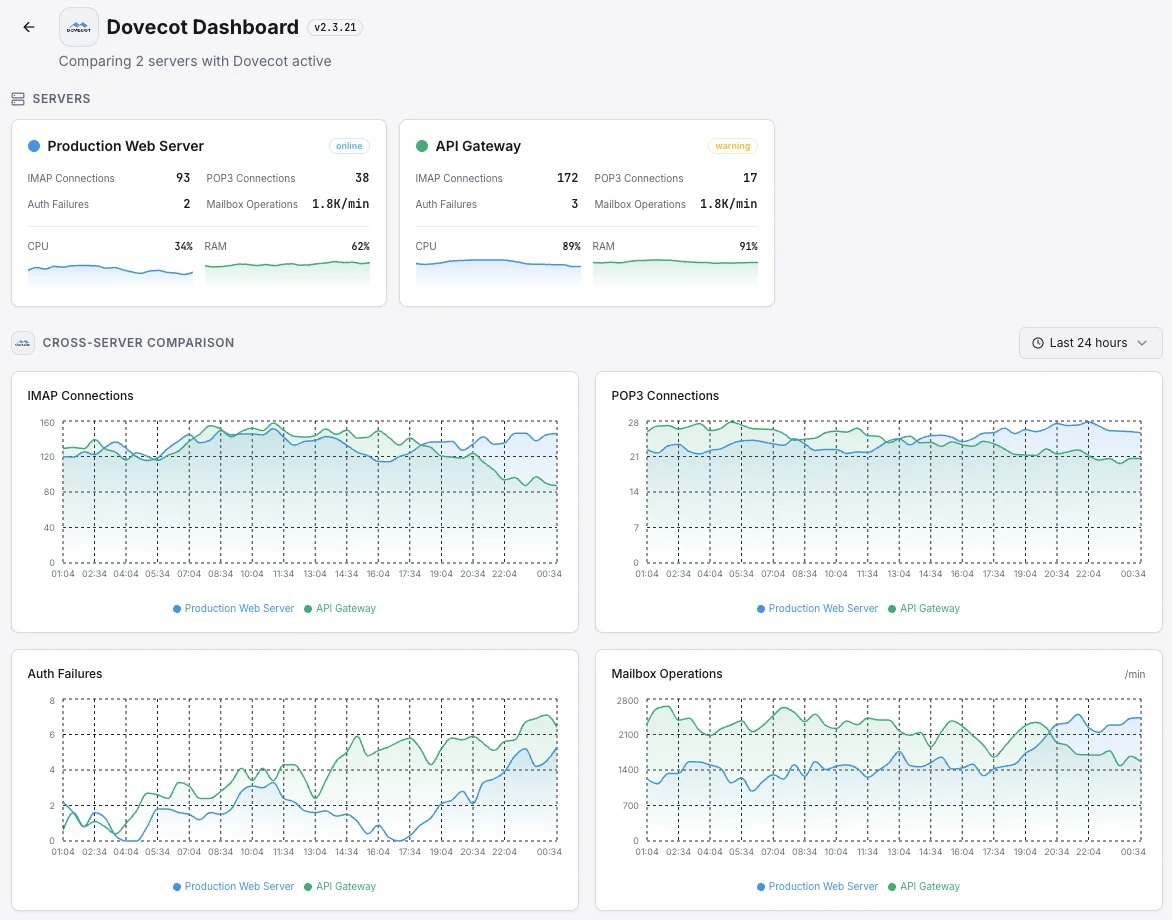
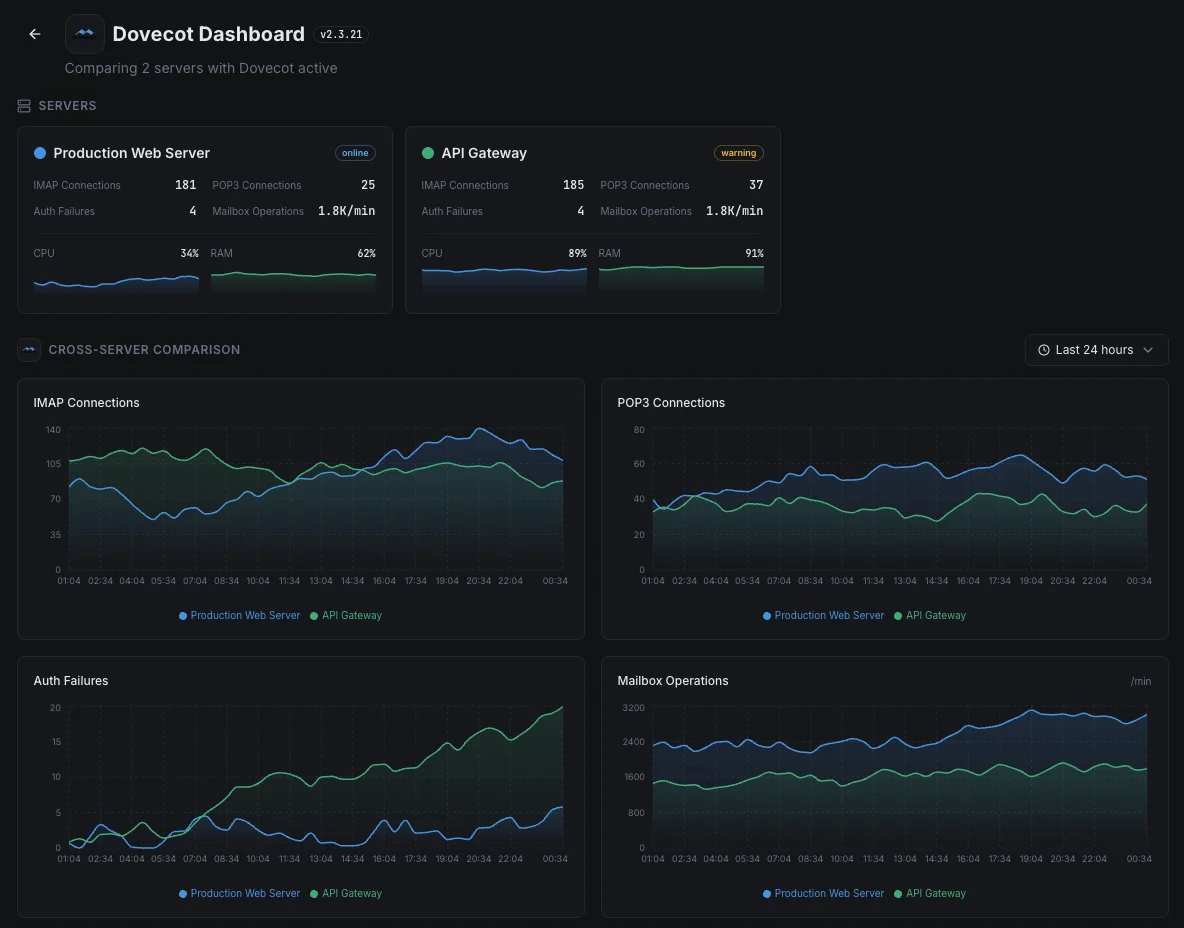
Zero-config Dovecot monitoring.
- One-command install
- Global nodes
- Unified dashboard
- Multi-channel alerts
Common Dovecot monitoring scenarios
Where Dovecot typically runs today — and what could go wrong if no one's watching.
Self-hosted business email server
When a company runs its own email instead of using a provider, every outage means staff can't send or receive messages. We watch the full journey of an incoming email — from arrival to inbox — so problems are caught long before anyone has to ask "is the email down again?"
Webmail for hosting providers and agencies
Web-based email keeps thousands of long-lived connections open at once. On a busy server, quietly hitting the connection limit means real customers suddenly can't log in. We catch the trend before the ceiling is reached, so it's resolved long before anyone calls support.
Email across multiple servers for high availability
Larger mail platforms spread users across several servers to stay online during outages. When the servers drift out of sync, users get mismatched inboxes and missing messages. We catch that drift the moment it begins so trust in the platform stays intact.
Prerequisites for Dovecot
Make sure you've got these in place — most installs are a 60-second job once they are.
- Dovecot 2.3.x or 2.4.x running on the server
doveadmCLI accessible (typically pre-installed with dovecot-core); native OpenMetrics endpoint enabled viaservice statsconfig block- Local Unix socket access to
/var/run/dovecot/stats(sudo / root or thedovecotgroup)
Get started in minutes
Install Xitogent on your mail server
Install the lightweight Xitogent monitoring agent on the host running Dovecot.
curl -s https://xitoring.com/install.sh | sudo bash -s -- --key=YOUR_API_KEYEnable the Dovecot HTTP stats listener
Create /etc/dovecot/conf.d/10-metrics.conf with metric definitions and an HTTP stats listener on port 9900. Reload Dovecot, then verify with `curl http://localhost:9900/metrics`.
# /etc/dovecot/conf.d/10-metrics.conf
service stats {
  inet_listener http {
    port = 9900
  }
}
metric auth_success {
  filter = event=auth_request_finished AND success=yes
}
# Reload Dovecot, then:
# curl http://localhost:9900/metricsEnable the Dovecot integration
Use the Xitoring dashboard or CLI to enable the Dovecot integration. Xitogent auto-detects your Dovecot instance and starts collecting connection and authentication metrics.
sudo xitogent integrateConfigure alert thresholds (optional)
Set custom thresholds for Auth Failures, Connection Count, or Login Processes to catch brute-force attempts and surprise capacity spikes.
Verify it's working
Run this command on the server to confirm Xitogent picked up the integration. Fresh metrics will start streaming to your dashboard within ~30 seconds.
sudo xitogent statusConsidering alternatives?
See how Xitoring stacks up against the alternatives for Dovecot monitoring — flat pricing, deeper integrations, and one agent that covers your whole stack.



Frequently asked questions
What is Dovecot monitoring?
Why is monitoring Dovecot important?
How do I check active Dovecot connections?
How do I detect Dovecot authentication failures?
How do I monitor LMTP delivery in Dovecot?
How do I monitor a Dovecot Director cluster?
What is doveadm and how do I use it for monitoring?
How do I detect IMAP connection storms?
What Dovecot versions are supported?
Start monitoring Dovecot today
Set up in under 60 seconds. No credit card required. Full metrics from day one.
Start Free Trial