The Perfect Monitoring Stack: Tools & Strategies Every DevOps Engineer Should Use in 2025

Modern infrastructure is distributed, fast-moving, and increasingly complex. DevOps engineers are expected to deploy faster, detect issues earlier, automate responses, and ensure systems stay reliable — all while keeping cloud costs sane. Monitoring is no longer a “nice-to-have” tool running in the background. In 2025, a great monitoring stack is a first-class component of your infrastructure.

But here’s the truth:
Most companies don’t have a unified monitoring strategy — they have tool chaos.
Five dashboards, three alert systems, two clouds, and still nobody notices the CPU spike until the customer opens a support ticket.

This article helps you build a complete monitoring stack step-by-step — one that helps DevOps teams detect, diagnose, and react to problems before users even notice.
What We’ll Cover

  1. Why monitoring matters more than ever in 2025

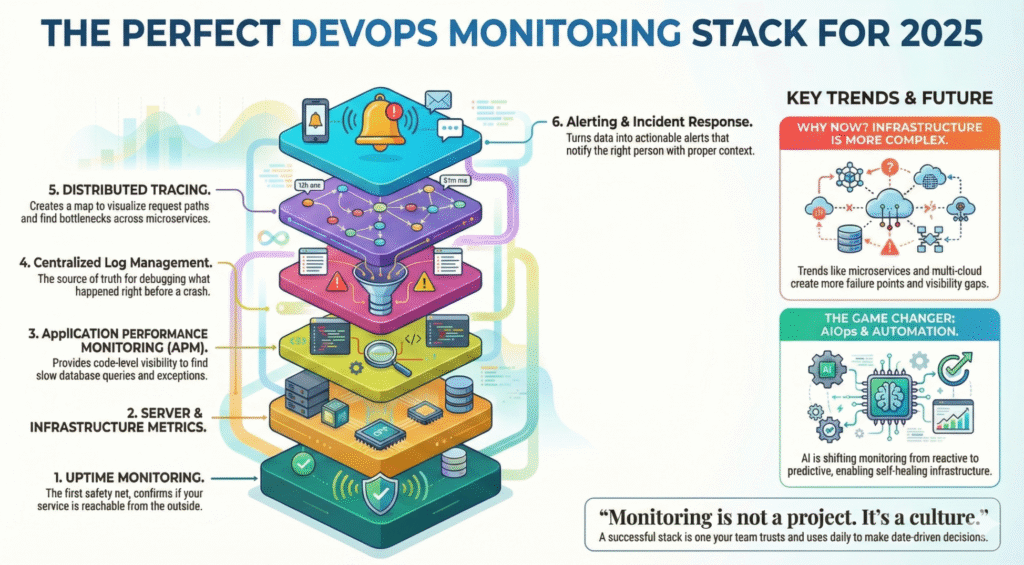
  2. The 6 pillars of a perfect monitoring stack

  3. Best-fit tools (open-source + SaaS) for each layer

  4. Automation & AIOps for faster incident response

  5. Real example workflows using Xitoring

  6. Best practices for building a future-proof observability culture

Grab your coffee — let’s design the perfect monitoring ecosystem.

Why Monitoring Matters More Than Ever in 2025

Infrastructure trends are shifting:

Trend Result
Microservices > Monoliths More distributed failure points
Multi-cloud adoption Harder visibility & metrics correlation
Remote teams & global systems Need 24/7 monitoring & automation
AI-powered users & workloads Higher performance sensitivity
Uptime expectations near 100% Incidents cost more than ever


Even small outages hurt. A few minutes of downtime during checkout can cost an eCommerce store thousands. A performance degradation in a SaaS app directly affects churn. And for services with SLAs, downtime = money out of the pocket.

Monitoring isn’t just about uptime anymore — it’s about:

✔ Performance optimization
✔ User experience protection
✔ Fast incident response
✔ Predictive failure detection
✔ Data-driven engineering decisions

Your monitoring stack is your early warning system, your forensic lab, and your operations assistant — all in one.

The 6 Pillars of a Perfect Monitoring Stack

A mature monitoring setup includes multiple layers working together:

  1. Uptime Monitoring & Status Checking

  2. Server & Infrastructure Metrics

  3. Application Performance Monitoring (APM)

  4. Logs & Centralized Log Management

  5. Tracing & Distributed Observability

  6. Alerting, Incident Response & Automation

Most failures don’t happen in isolation — so a good stack correlates metrics across all layers.

Let’s break these down one by one.


1. Uptime Monitoring — The First Safety Net

Uptime checks confirm whether your service is reachable from the outside. This is critical for:

  • Availability tracking

  • SLA reporting

  • Detecting DNS/SSL/network issues

  • Early outage detection before customers notice

Your uptime monitor should:

  • Ping from multiple global locations

  • Support HTTP, TCP, ICMP, DNS & port checks

  • Alert instantly when downtime starts

  • Provide public/private status pages

  • Track historical uptime & incidents

Good Tools:
🔹 Xitoring (Uptime + server monitoring in one platform)
🔹 UptimeRobot, Pingdom, BetterUptime
🔹 DIY with Prometheus + Blackbox Exporter

Example Workflow with Xitoring:
You configure uptime checks for APIs and landing pages. Xitoring monitors from global nodes every minute and instantly alerts via Slack/Telegram if latency spikes or the endpoint becomes unreachable. The status page updates automatically — no manual comms required.


2. Server & Infrastructure Monitoring

This is where you track CPU, RAM, load average, disk IO, network throughput, system logs, and more.

Why it matters:
Many outages start here — memory leaks, full disks, CPU throttling, kernel issues, resource exhaustion.

A server monitoring tool in 2025 should provide:

✔ Metric collection & dashboards
✔ Threshold-based & anomaly alerts
✔ Process/service monitoring
✔ Linux + Windows support
✔ Agent or agentless collection

Tools to Consider:
Open-source: Prometheus + Node Exporter, Zabbix, Grafana
SaaS: Datadog, New Relic, Xitoring for real-time insights

Where Xitoring fits:
Xitoring installs a lightweight agent, monitors Linux/Windows metrics, and uses AI pattern detection to warn you about unusual performance behaviors before they cause downtime.


3. Application Performance Monitoring (APM)

Even if servers look healthy, your application might be struggling.

APM provides:

  • Code-level performance traces

  • Slow endpoint/database query detection

  • Memory leaks & exception tracking

  • End-to-end latency breakdowns

If your application scales fast or spans micro-services, APM isn’t optional — it’s survival.


4. Logs — The Source of Truth During Incidents

When something breaks, engineers run to dashboards… and then eventually to logs.

Centralized logging helps answer:

  • What happened before the crash?

  • Which service threw the exception?

  • Did the deploy introduce a bug?

  • Is it a system issue or an external dependency?

Log Stack Examples:

  • ELK (Elasticsearch + Logstash + Kibana) — flexible, widely used

  • Grafana Loki — cheaper & scalable

  • Graylog, Splunk — enterprise search capabilities

  • Cloud native logs — GCP Logging, AWS CloudWatch

Logging must be centralized; SSH-ing into servers to tail logs is a 2010 problem.


5. Distributed Tracing — Understanding System Behavior

When requests pass through queues, services, load balancers, and databases — tracing is your map.

Distributed tracing helps:

✔ Visualize request paths
✔ Identify bottlenecks across microservices
✔ Debug timeouts, retries, failures

Standards & Tools:

  • OpenTelemetry (industry standard)

  • Jaeger, Zipkin

  • AWS X-Ray / GCP Cloud Trace

Tracing ties APM + logs + metrics together to reveal the full picture of an incident.


6. Alerting & Incident Response

Monitoring is useless without actionable alerts. No one wants alert fatigue, but silence during outages is even worse.

A modern alerting workflow should:

  1. Detect

  2. Notify the right person

  3. Provide context (dashboards, logs)

  4. Trigger automated remediation when possible

Alert Channels:

  • Slack, Teams, Email

  • PagerDuty / OpsGenie

  • Telegram, SMS

  • Webhooks for automation

Xitoring Example:
When CPU stays above 90% for 10 minutes, Xitoring sends alerts via Slack and Telegram, attaches system metrics, and can trigger automated scripts (e.g., restart a service or scale pods).

AIOps & Automation — The 2025 Game Changer

Monitoring evolution is moving from reactive → predictive.

AI can help detect:

  • Unusual traffic spikes

  • Slow memory leaks

  • Latency changes before user impact

  • Behavior trends that lead to failure

Platforms like Xitoring already integrate AI-based anomaly detection, enabling:

🔹 auto-alerting before outages
🔹 suggestion of root causes
🔹 automated recovery triggers

The future is self-healing infrastructure.

Best Practices for DevOps Teams in 2025

  • Alert on symptoms, not noise
    CPU spike alone isn’t a problem — a spike + latency increase is.

  • Use status pages
    Reduces support load and builds trust with customers.

  • Track SLO/SLI metrics
    Reliability is measurable, and you can improve only what you track.

  • Observe deployments closely
    Most incidents are human releases.

  • Monitoring is not a project. It’s a culture.


Final Thoughts

A perfect monitoring stack doesn’t mean buying the most expensive tool or over-engineering your observability pipeline. It means combining layers that give you visibility from user request → server → application → logs → root cause.

If there’s one takeaway:

Monitoring shouldn’t tell you something went wrong — it should tell you why and how to fix it fast.

Whether you choose an open-source stack, enterprise platform, or a unified solution like Xitoring that combines uptime + server monitoring with AI insights, the key is building a system your team trusts and uses daily.
Illustration of a person standing next to a large laptop screen displaying a warning alert, with the text "Stay Ahead of Issues with Real-Time Server Alerts."

A Beginner’s Guide to Real-Time Server Alerts

Companies in most industries rely on their servers to provide smooth experiences for both customers and employees. Whether it’s processing transactions or hosting applications, server performance is vital to business success. But what if something stops the flow? A single moment of downtime can equal lost business, upset users, and even long-term reputational damage for your company.

This is where real-time server monitoring becomes useful. It is the lifeline of your IT infrastructure, providing you with ongoing monitoring and alerting you to potential issues before they spiral out of control. Think of it as having a never-sleeping guard dog for your systems—always on the watch and ready to act at a moment’s notice.

Real-time monitoring does not constitute just verifying if your servers are running or not. It delves deeper into important statistics such as CPU usage, memory, disk space, and network usage. Keeping a close eye on these, you can predict bottlenecks ahead of time and clear them in advance. Most server problems are caused by easily preventable issues such as overloading of resources or incorrect configurations, which can be easily fixed with the right monitoring software.

(more…)

Illustration of performance metrics and an hourglass representing uptime monitoring tools like Xitoring

5 Reasons Uptime Monitoring Is Essential

In today’s digital-first economy, uptime monitoring has become a cornerstone of effective IT management. Whether you’re running an e-commerce platform, SaaS business, or a simple company website, ensuring uninterrupted availability is crucial for success. Downtime not only impacts revenue but also tarnishes brand reputation. With tools to detect and resolve issues proactively, uptime monitoring can significantly improve operational resilience.

In this comprehensive guide, we’ll explore why uptime monitoring matters, breaking it down into five core benefits that contribute to long-term business growth and customer satisfaction.

What Is Uptime Monitoring?

Uptime monitoring refers to the continuous tracking of the availability and performance of websites, servers, and applications. By leveraging monitoring tools, businesses can receive real-time alerts about outages or performance issues, ensuring swift resolution. This proactive approach minimizes disruptions, improves the user experience, and enhances overall system reliability.

How Does It Work?

Uptime monitoring systems utilize automated tools to:

  • Ping servers at regular intervals.
  • Measure response times.
  • Identify performance bottlenecks.
  • Send immediate alerts when issues arise.

By combining these functions, businesses can achieve greater transparency and control over their IT infrastructure.

Minimize Downtime:

Every second of downtime counts. In e-commerce, even a brief outage can lead to lost sales and dissatisfied customers. Downtime also disrupts business operations, causing delays and increasing operational costs.

How Uptime Monitoring Minimizes Downtime

Uptime monitoring tools provide real-time notifications, enabling IT teams to act quickly. Automated systems can detect and log the root causes of downtime, streamlining the troubleshooting process. By resolving issues swiftly, businesses can reduce the impact of outages and ensure a seamless user experience.

Improve Customer Trust 

Why Trust Matters in the Digital Age

In a competitive landscape, customer trust is a key differentiator. Frequent downtime erodes confidence, making users hesitant to return or recommend your service.

Building Trust with Uptime Monitoring

By maintaining high availability, businesses demonstrate reliability and professionalism. Customers are more likely to trust brands that prioritize their online experience. Proactive uptime monitoring showcases a commitment to service excellence, strengthening customer loyalty.

Optimize Performance

Performance as a Key Competitive Advantage

While uptime ensures availability, performance determines the quality of the user experience. Slow-loading websites or applications frustrate users and lead to higher bounce rates. Studies show that a one-second delay in page load time can reduce conversions by up to 7%.

Uptime Monitoring as a Performance Optimizer

Many uptime monitoring tools go beyond basic availability checks, providing insights into performance metrics like:

  • Response times: Track how quickly your servers respond to user requests.
  • Latency: Measure delays in data transmission.
  • Load times: Identify bottlenecks affecting page speed.

By analyzing these metrics, businesses can fine-tune their systems, improve loading speeds, and deliver a smoother user experience. Tools such as Pingdom or Datadog offer detailed performance reports, empowering IT teams to make data-driven improvements.

Detect Issues Early

The Cost of Unresolved Issues

Minor system hiccups, if left unchecked, can escalate into significant problems, leading to prolonged outages or degraded performance. Early detection is crucial to mitigating risks and avoiding costly repairs or lost business opportunities.

Proactive Monitoring for Early Issue Detection

Uptime monitoring tools are designed to detect anomalies, such as:

  • Spikes in server usage
  • Unusual traffic patterns
  • Potential hardware failures

By receiving real-time alerts, IT teams can take preventative measures, such as increasing server capacity during traffic surges or replacing failing components before they cause downtime. This proactive approach not only minimizes disruptions but also extends the lifespan of your IT infrastructure.

Stay Competitive

Reliability as a Market Differentiator

In today’s fast-paced digital marketplace, customers gravitate toward businesses they can rely on. High uptime and consistent performance set your brand apart from competitors, particularly in industries where availability is mission-critical, such as SaaS, e-commerce, and financial services.

Competitive Edge Through Monitoring Tools

With uptime monitoring, you can:

  • Maintain a robust online presence.
  • Provide a superior user experience.
  • Gain an advantage over less reliable competitors.

For instance, businesses using advanced tools like UptimeRobot or Xitoring can achieve near-perfect uptime, ensuring their services remain accessible 24/7.

Best Tools for Uptime Monitoring

Key Features to Look For

When selecting an uptime monitoring tool, consider these critical features:

  • Real-time alerts: Immediate notifications when issues arise.
  • Customizable reports: Detailed performance metrics tailored to your needs.
  • Integration options: Compatibility with existing systems.
  • Ease of use: User-friendly dashboards and controls.

Recommended Tools
Here are some top-rated uptime monitoring tools to explore:

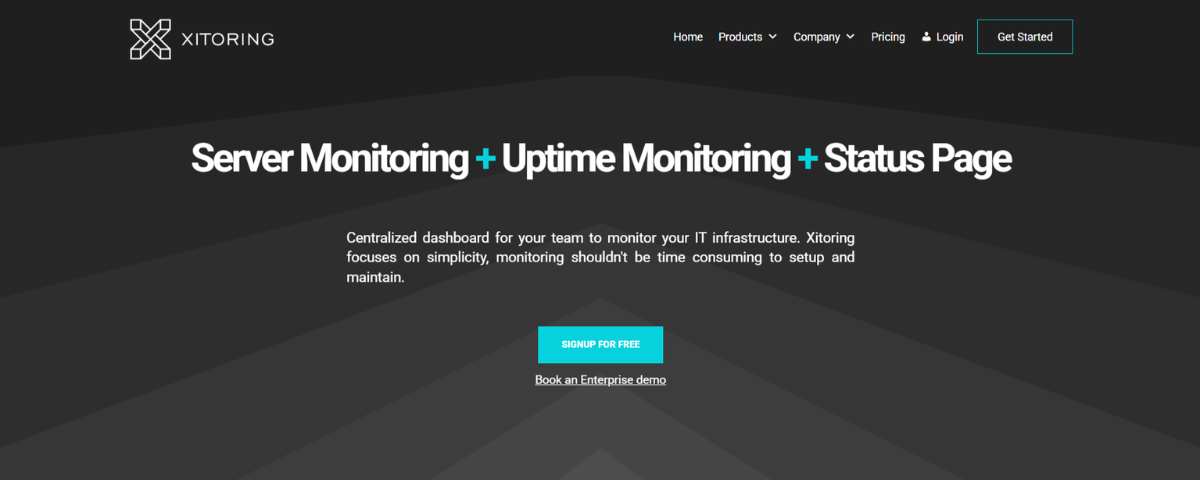
1. Xitoring

Xitoring homepage showcasing features like server monitoring, uptime monitoring, and status page with a centralized dashboard for IT infrastructure

  • Key Features:
    • Real-time uptime monitoring for servers and websites.
    • Supports multiple protocols: Ping, HTTP(s), DNS, and more.
    • Customizable notification channels and public status pages.
    • Advanced performance metrics and detailed reporting.
  • Best For: Businesses looking for centralized, versatile server monitoring with customizable alerts.
  • Website URL: https://xitoring.com/

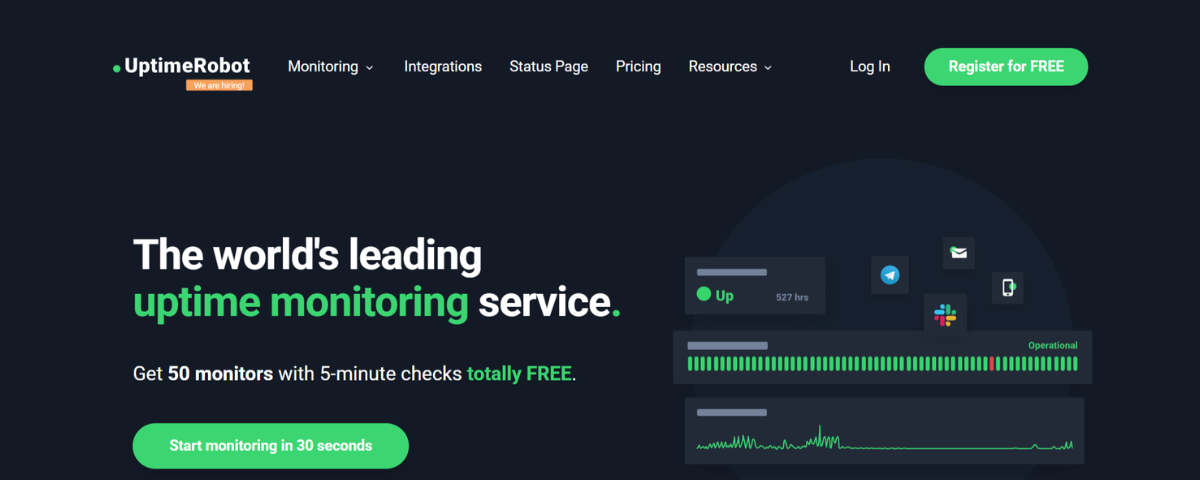
2. UptimeRobot

UptimeRobot homepage promoting uptime monitoring services with real-time status updates and free monitoring features

  • Key Features:
    • Free monitoring for websites, SSL, ports, and keywords.
    • Customizable status pages and incident updates.
    • Maintenance windows for scheduled downtime.
    • 1-minute monitoring intervals for paid plans.
  • Best For: Small to medium-sized businesses seeking budget-friendly uptime monitoring with essential features.
  • Website URL: http://uptimerobot.com/

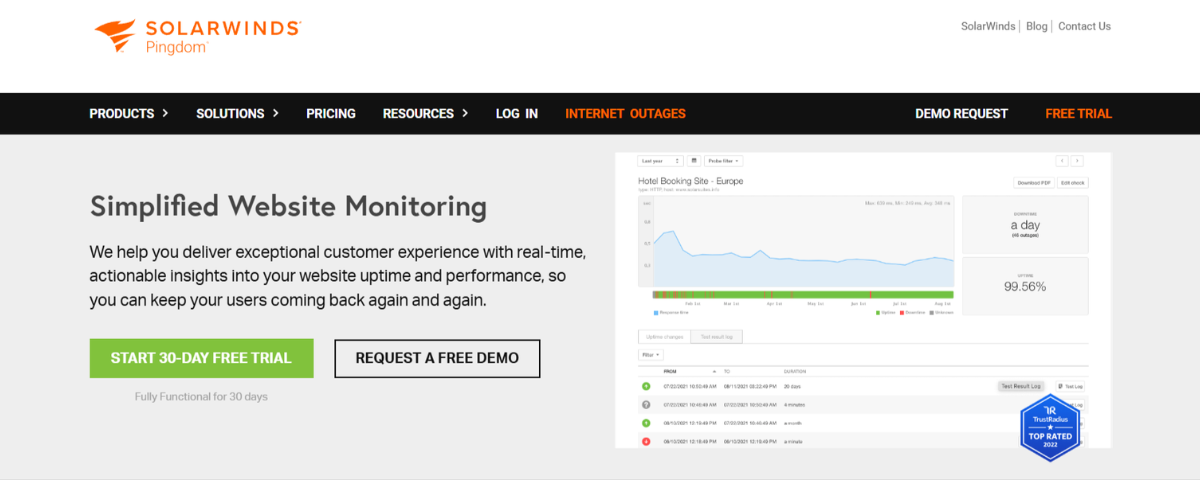
3. Pingdom

SolarWinds Pingdom homepage highlighting simplified website monitoring with real-time performance insights and uptime analytics

  • Key Features:
    • Synthetic monitoring to simulate user interactions.
    • Comprehensive uptime and performance monitoring.
    • Page speed analysis and transaction monitoring.
    • Advanced alerting and detailed performance reports.
  • Best For: Enterprises and e-commerce businesses focused on user experience and performance optimization.
  • Website URL: http://pingdom.com/

4. Better Stack

Better Stack homepage showcasing a modern observability stack for higher-quality software and faster engineering workflows

  • Key Features:
    • Website and API monitoring with incident management.
    • Playwright-based transaction monitoring for complex workflows.
    • Customizable status pages and real-time notifications.
    • Integrates with Slack, Teams, and other incident management tools.
  • Best For: Teams requiring a robust observability stack with advanced transaction checks and log management.
  • Website URL: http://betterstack.com/

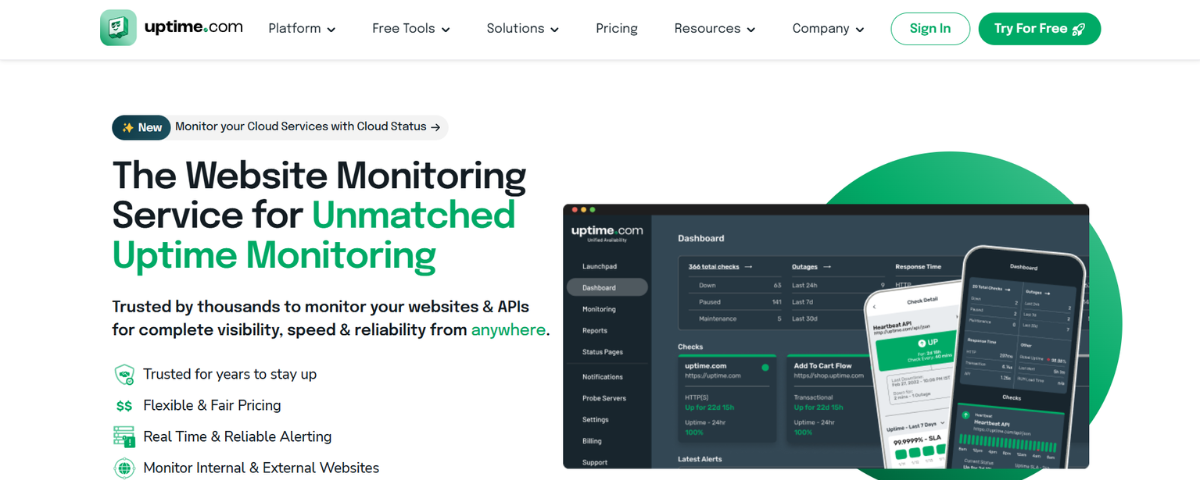
5. Uptime.com

Uptime.com homepage featuring unmatched uptime monitoring services with real-time alerts and dashboard views for website and API performance

    • Key Features:
      • Uptime, API, synthetic, and real user monitoring.
      • Private location monitoring for internal systems.
      • Comprehensive reporting and analytics.
      • Customizable status pages and multi-channel alerts.
    • Best For: Large-scale enterprises seeking diverse monitoring solutions with detailed reporting.
    • Website URL: http://uptime.com/

Conclusion

Each tool offers unique advantages, so choose one that aligns with your business goals and technical requirements.

In today’s always-on digital landscape, uptime monitoring is more than a technical necessity—it’s a strategic imperative. By minimizing downtime, optimizing performance, detecting issues early, and staying competitive, businesses can safeguard their reputation, retain customer trust, and drive growth. With tools like Xitoring, you can take your uptime monitoring to the next level. Try Xitoring for free today and ensure your digital operations stay seamless and reliable.

Modern data center with glowing servers and a digital dashboard overlay showcasing Xitoring's server monitoring features, including metrics like CPU usage, uptime, and network traffic

What Is Server Monitoring? A Complete Guide

Server monitoring is the continuous process of tracking the performance, health, and availability of your servers. Using specialized tools and software, server monitoring helps you:

  • Keep track of server uptime and downtime.
  • Analyze CPU, memory, and disk usage.
  • Identify potential security vulnerabilities.
  • Receive real-time alerts for performance issues.

By staying on top of these metrics, IT teams can proactively address problems before they escalate, ensuring a seamless user experience and minimizing costly disruptions.


Why Is Server Monitoring Important? 

The importance of server monitoring cannot be overstated. Here’s why it matters:

Minimizes Downtime 

Downtime can cost businesses thousands of dollars per minute. Server monitoring tools send real-time alerts that help IT teams quickly resolve issues, ensuring maximum uptime and minimal disruptions.

Improves Performance 

Continuous monitoring helps businesses identify performance bottlenecks. For instance, excessive CPU or memory usage can be resolved before it affects server performance.

Enhances Security 

Server monitoring detects unusual activity, such as unauthorized access attempts or malware, enabling quick action to mitigate threats and protect sensitive data.

Optimizes Resource Allocation

Monitoring tools provide insights into resource usage, helping organizations allocate resources efficiently and avoid unnecessary costs.

How Does Server Monitoring Work? 

Server monitoring tools, such as Xitoring, operate by collecting and analyzing data from your server’s hardware and software. Here’s how they work: 

  1. Data Collection: Agents or scripts installed on the server gather key metrics like CPU usage, disk space, and network traffic.
  1. Data Analysis: The collected data is analyzed to identify patterns or anomalies that indicate potential issues
  1. Alerts and Reporting: When issues are detected, real-time alerts are sent via email, SMS, or integrations like Slack. Detailed reports help IT teams review performance trends and make informed decisions.

Key Metrics in Server Monitoring 

To effectively monitor servers, it’s essential to track the following metrics: 

  • Uptime: Measure the percentage of time the server is operational. 
  • CPU Usage: Monitor how much processing power is being used. 
  • Memory Usage: Ensure the server’s memory is not overburdened. 
  • Disk Space: Track available storage to prevent crashes due to insufficient space. 
  • Network Traffic: Analyze bandwidth usage and detect unusual traffic spikes. 
  • Error Logs: Review logs for recurring errors that could signal deeper issues. 


Tools for Server Monitoring 

A variety of server monitoring tools are available, each offering unique features. Here are a few popular options:

  • Xitoring: Renowned for real-time monitoring capabilities and uptime alerts.
  • Nagios: A versatile tool with robust monitoring for servers and networks.
  • SolarWinds Server & Application Monitor: Offers deep insights into server performance and dependencies.
  • Datadog: Provides comprehensive cloud-based monitoring solutions.

When choosing a tool, consider factors like ease of use, integration capabilities, scalability, and cost.


Best Practices for Effective Server Monitoring 

To maximize the benefits of server monitoring, follow these best practices:

  • Define Clear Objectives: Identify which metrics are most critical to your business.
  • Set Real-Time Alerts: Configure alerts for key metrics to address issues promptly.
  • Automate Where Possible: Use tools that offer automated responses to specific issues.
  • Regularly Review Reports: Analyze performance trends to identify and resolve potential problems.
  • Prioritize Security: Ensure monitoring tools are set up to detect potential security breaches.


How Xitoring Can Help 

Xitoring simplifies server monitoring with its intuitive interface and robust features. Whether you need to track uptime, analyze performance metrics, or set up real-time alerts, Xitoring delivers reliable insights to keep your servers running smoothly. Designed for businesses of all sizes, Xitoring’s flexible tools can be tailored to your specific needs.


Conclusion 

Server monitoring is essential for maintaining optimal server performance, reducing downtime, and enhancing security. By leveraging the right tools and following best practices, businesses can proactively address issues and deliver seamless experiences to their users.

Ready to elevate your server monitoring game? Explore Xitoring’s solutions today and take the first step toward uninterrupted server performance!

What is cloud server monitoring?

Businesses are increasingly moving their applications, websites, and data to the cloud because of the various advantages it offers, from cost saving to scalability. However, simply moving to the cloud doesn’t eliminate the need for robust monitoring. In this post we will explain in detail what cloud server monitoring is, why it is still important even in a cloud environment, and why taking advantage of third-party monitoring solutions like Xitoring could be very critical in keeping performance at its best while also nailing security.

What is Cloud Server Monitoring?

Cloud server monitoring is the process of tracking and managing the performance, health, and availability of cloud-hosted servers. This involves observing various metrics such as CPU usage, memory consumption, disk I/O, network activity, and more. It also includes monitoring the applications running on these servers, as well as the overall user experience.

Monitoring can be carried out using a variety of tools and techniques, often provided by cloud service providers or through third-party solutions. The primary objective is to ensure that the infrastructure and applications run smoothly, efficiently, and securely. Effective monitoring helps in identifying potential issues before they escalate, thereby minimizing downtime and ensuring a seamless experience for end-users.

(more…)

What is Disk Health Check Monitoring?

A hard drive health check is a process of examining the overall condition and performance of a hard drive to ensure it’s functioning properly. SMART (Self-Monitoring, Analysis, and Reporting Technology) check is a technology built into most modern hard drives that monitors various attributes of the drive’s performance and predicts its reliability. It can alert users to potential issues before they become serious problems, allowing for proactive maintenance or replacement.

Why Monitoring Hard Drive Health Matters

Using hard drive health checks, such as SMART, is one of the smartest thing, an administrator can do on the server infrastructure. Using hard drive health checks is essential for maintaining the reliability, security, and performance of your storage systems. Whether you’re a home user, a small business, or a large enterprise, implementing regular monitoring and maintenance practices can help safeguard your data and ensure the longevity of your hardware.

(more…)

An illustration of IIS Server Monitoring featuring a laptop, servers, and a cube with a monitoring icon.

What is IIS Monitoring?

Internet Information Services (IIS) is a powerful web server software developed by Microsoft for hosting websites, applications, and services on Windows servers. It provides a robust platform for delivering web content, supporting various programming languages such as ASP.NET, PHP, and others.

IIS offers a range of features including support for HTTP, HTTPS, FTP, SMTP, and NNTP protocols, making it versatile for a wide range of web hosting needs. It also includes security features such as request filtering, SSL/TLS support, and authentication mechanisms to ensure the safety and integrity of hosted content.

With its modular architecture, IIS allows for easy extensibility through add-on modules and components, enabling users to customize and enhance the server’s functionality according to their specific requirements. Additionally, IIS Manager provides a user-friendly interface for managing server configurations, sites, applications, and other resources, making it accessible even to users with limited technical expertise.

(more…)

What is Varnish Cache Monitoring?

Varnish Cache is an open-source, high-performance HTTP accelerator designed for dynamic and content-heavy websites. It works as a reverse proxy server, sitting in front of your web server(s), and caches content to serve it quickly to users, reducing the load on your web server and improving overall website performance.

How Varnish Cache Works

(more…)

A vibrant digital illustration featuring Docker Container Monitoring with a futuristic background.

What is Docker Container Monitoring?

Docker is a platform that makes it simpler to build, deploy, and execute programs utilizing containers. Containers enable a developer to bundle a program with all of its required components, including as libraries and other dependencies, and ship it all as a single package. This ensures that the program will operate on any other system, independent of any specific settings that may differ from the one used to write and test the code.

In a way, Docker is a bit like a virtual machine. However, unlike a virtual machine, rather than creating a whole virtual operating system, Docker allows applications to use the same Linux kernel as the system that they’re running on and only requires applications be shipped with things not already running on the host computer. This gives a significant performance boost and reduces the size of the application. (more…)

What is HAProxy Monitoring?

Do you struggle with website downtime and load management?
Ensuring that your online applications are highly accessible, secure, and performant is not a choice; it is a need. Many people wonder how they may do this without breaking the bank or overburdening their IT personnel. The solution is to use HAProxy to its full potential and develop appropriate monitoring methods.

Your Gateway to High-Performance Load Balancing

HAProxy, or High Availability Proxy, is an open-source load balancer and proxy server for TCP and HTTP applications. It is commonly used to split network or application traffic among multiple servers, which improves the dependability, efficiency, and availability of a service or application. HAProxy is well-known for its excellent performance, reliability, and extensive feature set, which includes SSL/TLS termination, HTTP/2 compatibility, WebSocket, and an advanced configuration syntax. (more…)