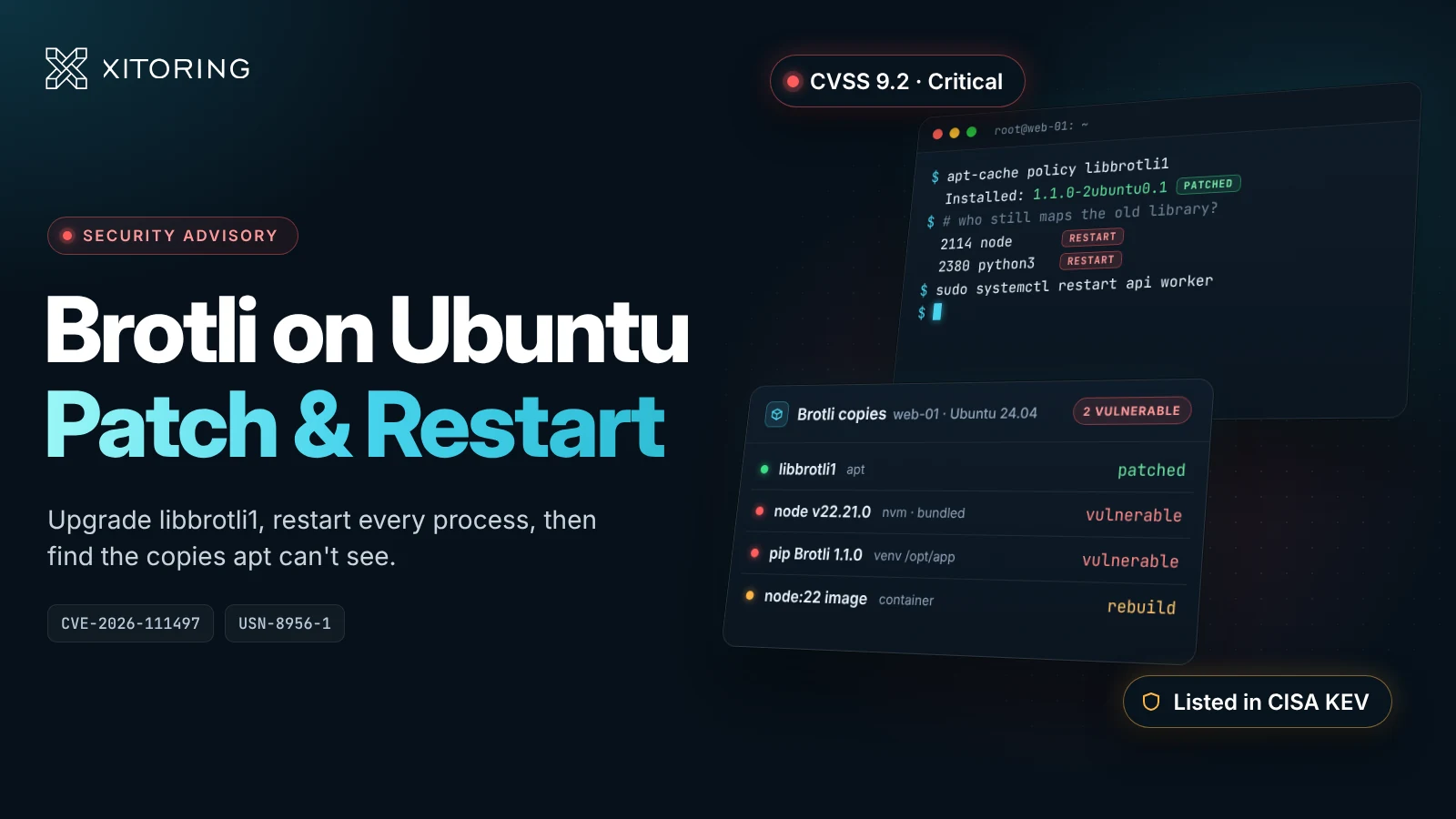
CVE-2026-111497 is a bug in Brotli's decoder, the part of the library that unpacks br-compressed data. Feed it a malformed stream and it writes past the end of a buffer. That can crash the process, leak memory, or in the worst case let an attacker run code. You probably never installed Brotli on purpose. On Ubuntu it comes in as libbrotli1, a dependency of libcurl and a few other common libraries, and it's also compiled straight into Node.js and some other runtimes.
Ubuntu gives the CVE High priority because CISA has put it on its Known Exploited Vulnerabilities list, and the CVSS v4.0 score is 9.2. Fixed packages are available for every Ubuntu release from 16.04 to 26.10, and installing them takes a couple of minutes. What takes longer is restarting everything that still has the old library loaded, and finding the copies of Brotli that apt doesn't manage. Most of this post is about those two jobs.
CVE-2026-111497 at a glance
| Component | Google Brotli decoder (c/dec/decode.c) |
| Bug class | Out-of-bounds write (buffer overflow) during decompression |
| Affected upstream versions | Brotli 1.0.3 through 1.2.0 |
| Fixed upstream versions | 1.0.10, 1.1.1 and 1.2.1 |
| Attack | Remote, no authentication. The target only has to decompress Brotli data the attacker supplies. |
| Impact | Crash, memory disclosure, possible remote code execution |
| CVSS v4.0 | 9.2 Critical (AV:N/AC:L/AT:P/PR:N/UI:N/VC:H/VI:H/VA:H) |
| Ubuntu priority | High (listed in CISA KEV) |
| Ubuntu notices | USN-8956-1 (22.04 to 26.10), USN-8956-2 (16.04 to 20.04) |
| Also known as | Node2Shell, HTTP2Shell, Brotli2Shell, Broccoli2Shell |
How the bug works
A Brotli stream is made of blocks, and the decoder switches between block types as it reads. The Node.js security advisory explains what went wrong. When the decoder hit an invalid block switch, it treated it as "not enough input yet" instead of a fatal format error. So it kept waiting for more data, and each new chunk was appended to an internal buffer that is only eight bytes long. Everything after those eight bytes lands in memory that belongs to something else.
The fix itself isn't new. It went into the google/brotli repository in February 2026, but there was no release and no advisory until this month, so the patch sat in public view for about eight months without anyone shipping it. Node.js disclosed the bug on 21 October. That's why most of the nicknames point at Node, even though the problem lives in Brotli.
Things have moved fast since then. Debian and Ubuntu published CVE entries on 22 and 23 October, and Python's Brotli packages were confirmed affected around the same time. Ubuntu released USN-8956-1 for 22.04 and newer on 26 October, the same day the first exploitation attempt in the wild was reported. USN-8956-2 followed on 27 October for 16.04, 18.04 and 20.04, and CISA added the CVE to KEV with a 10 November deadline for US federal agencies.
Proof-of-concept code is already on GitHub. From what has been published so far, a working exploit has to be tuned to one specific build, and most attempts crash the target instead of giving the attacker a shell. That shouldn't make you relax. A crash is still an outage, and when systemd or PM2 restarts the worker, the attacker just gets another try.
Who is exposed on an Ubuntu server
Only decompression is affected, so turning off Brotli compression on your web server or CDN won't help. The question to ask is whether anything on the box decompresses Brotli data that someone else controls. That can happen in both directions.
On the inbound side, look at services that accept request bodies sent with Content-Encoding: br and inflate them: API gateways, Node.js or Python apps whose framework decompresses request bodies for you, and proxies like Envoy or Istio with a Brotli decompression filter.
On the outbound side, it's anything that fetches a URL and decodes a br response automatically. Node's fetch() and node:zlib do this. So do Python's requests, urllib3, httpx and aiohttp when the Brotli package is installed, and so does curl with --compressed. In practice that means link previews, webhook senders, scrapers, feed readers and most third-party API integrations. Dropping br from your Accept-Encoding header doesn't really help, because a malicious server can send Brotli whether you asked for it or not.
The other catch is that Ubuntu's update only fixes Ubuntu's copy of the library:
| Where Brotli lives | Fixed by the Ubuntu update? | What fixes it |
|---|---|---|
libbrotli1, brotli, python3-brotli from the Ubuntu archive |
Yes | The package versions below, plus a restart |
Ubuntu's own nodejs package on 22.04 and later |
Yes, it links the system library | The libbrotli1 update, then restarting every Node process |
Ubuntu's nodejs package on 20.04 |
No. It bundles its own Brotli and Ubuntu lists it as vulnerable | Switching to a supported upstream Node.js build |
Node.js from NodeSource, nvm, official tarballs or node: Docker images |
No | Node.js 22.23.4, 24.22.1, 26.12.1 or later (end-of-life lines like 18 and 20 get no fix) |
Python Brotli / brotlicffi installed with pip, in virtualenvs or images |
No | Brotli 1.2.1 or later, brotlicffi 1.2.1.0 or later |
| Bun, .NET, Envoy, Istio | No | Bun 1.4.4+, .NET 8.0.33 / 9.0.22 / 10.0.14, or your vendor's current patch release |
On 18.04 and older, Ubuntu's nodejs package doesn't use Brotli at all, so there's nothing to do there.
Fixed Ubuntu package versions
The same version applies to brotli, libbrotli1 and python3-brotli, plus python-brotli on 18.04 and 16.04:
| Ubuntu release | Fixed version | Notice |
|---|---|---|
| 26.10 (Stonking) | 1.2.0-4ubuntu0.1 |
USN-8956-1 |
| 26.04 LTS (Resolute) | 1.2.0-3ubuntu0.1 |
USN-8956-1 |
| 24.04 LTS (Noble) | 1.1.0-2ubuntu0.1 |
USN-8956-1 |
| 22.04 LTS (Jammy) | 1.0.9-2ubuntu0.1 |
USN-8956-1 |
| 20.04 LTS (Focal) | 1.0.7-6ubuntu0.1+esm1 (Ubuntu Pro) |
USN-8956-2 |
| 18.04 LTS (Bionic) | 1.0.3-1ubuntu1.3+esm1 (Ubuntu Pro) |
USN-8956-2 |
| 16.04 LTS (Xenial) | 1.0.3-1ubuntu1~16.04.2+esm1 (Ubuntu Pro, Legacy Support add-on) |
USN-8956-2 |
These numbers look older than upstream's fixed releases (1.0.10, 1.1.1 and 1.2.1), and that's expected. Ubuntu backports the fix into whatever version each release already ships, so 1.1.0-2ubuntu0.1 on Noble is patched even though "1.1.0" looks behind. Go by this table, not by the upstream version number.
On 20.04 and older, the update only reaches machines attached to Ubuntu Pro. Pro is free for personal use on up to five machines.
How to patch Ubuntu for CVE-2026-111497
1. Check what's installed
apt-cache policy libbrotli1                 # "Installed" should be at least the fixed version above
dpkg -l | grep -i brotli                    # every Brotli package on the host
apt-cache rdepends --installed libbrotli1   # what on this box depends on it
2. Upgrade the packages
sudo apt update
sudo apt install --only-upgrade libbrotli1 brotli python3-brotli
A normal sudo apt upgrade works too and picks up everything else that's pending. On 20.04, 18.04 or 16.04, attach the machine to Ubuntu Pro first and let the Pro client handle it:
sudo pro status
sudo pro fix CVE-2026-111497
3. Restart whatever loaded the old library
Upgrading replaces the file on disk, but a process that's already running keeps the old libbrotlidec in memory until it restarts. This is the step people skip, and it's how a server can show as patched and still be vulnerable weeks later. This lists every process still using the old file:
sudo grep -l 'libbrotli.*(deleted)' /proc/[0-9]*/maps 2>/dev/null \
  | cut -d/ -f3 | paste -sd, | xargs -r ps -o pid=,comm= -p
If it prints nothing, you're done. Otherwise restart those services, or reboot if there are a lot of them. Ubuntu Server installs needrestart by default from 22.04 on, and sudo needrestart -r l shows the same list grouped by service.
4. Find the copies apt doesn't manage
which -a node && node -v                    # want 22.23.4, 24.22.1, 26.12.1 or later
python3 -m pip list 2>/dev/null | grep -iE '^brotli(cffi)? '
sudo find / -xdev \( -name 'libbrotli*.so*' -o -name '_brotli*.so' \) \
  -not -path '/usr/lib/*' 2>/dev/null       # private copies in venvs, /opt, app bundles
Run the pip check inside each virtualenv, not only against the system Python. If you use nvm, check every Node version you have installed. Node compiles Brotli into the node binary itself, so find won't turn it up. The version number is the only check that works there.
5. Rebuild your containers
Patching the host doesn't touch your containers. Every image has its own libbrotli1, its own Node binary and its own pip packages. Rebuild from an updated base image (run apt-get upgrade in the build or move to a newer node: tag), redeploy, and make sure the old containers have actually stopped.
If you can't patch right away
Upgrading and restarting is the only real fix. If a service has to stay on the old code for a few more hours, you can at least reduce the exposure:
-
At the reverse proxy, reject Brotli-encoded request bodies for apps that don't need them. In nginx:
# server block of the proxy in front of the app if ($http_content_encoding ~* "br") { return 415; } -
Remove
Brotliandbrotlicffifrom Python environments until you can upgrade them. Without the package,urllib3,requests,httpxandaiohttpcan't decodebrat all. -
In Envoy and Istio, turn off the Brotli decompressor filter in both directions.
-
Pause features that fetch URLs on a user's behalf, like link previews or webhook tests, or move them to an isolated worker. They're the easiest way to get your server to download a hostile response.
Monitoring during the patch window
Monitoring won't block a malicious Brotli stream, and a quiet dashboard doesn't mean nobody tried. It's still useful this week in a few specific ways.
Know where Brotli runs
Start your patch list from the servers that already report to your monitoring agent, then look for the ones that don't. There's usually a staging box or an old worker VM that isn't on anyone's list.
Watch for crashes
Since most exploit attempts crash the process, failed attacks leave traces. The catch is that systemd, PM2 and Docker restart crashed workers automatically, so if you only check whether a service is up, you won't see them. Look for:
-
segfaults in the kernel log, particularly in
node,python3orlibbrotlidec:journalctl -k --since "-7 days" | grep -iE 'segfault|general protection' -
restart counts going up:
systemctl show -p NRestarts <service>, the restart column inpm2 list, or your container restart counts -
memory spikes or OOM kills on services that normally use very little memory
-
processes that shouldn't be there, such as shells,
curlorwgetstarted bynodeorpython3, and new outbound connections from app servers
Confirm the restarts worked
Once everything is restarted, check that it all came back: no containers stuck in a restart loop, no worker pools sitting at zero, every public endpoint responding. This is also how you know the new library is the one actually running.
How Xitoring helps
If you already use Xitoring, these are the parts that help with the steps above:
| What you need | Where to find it |
|---|---|
| Memory, CPU and process metrics on every Ubuntu host | Linux server monitoring with the Xitogent agent |
| Spotting containers that crash-loop, restart or get OOM-killed | Docker monitoring, which tracks restart counts and OOM kills per container |
Keeping an eye on your proxies while you add the br block and restart backends |
Nginx and Apache monitoring |
| Knowing every site came back after the restarts | Uptime monitoring with HTTP checks from several regions |
PHP2Shell was disclosed on the same day as this bug. If you run PHP and Node.js on the same servers, you can deal with both in one round of upgrades and restarts.
Checklist
- Upgrade
libbrotli1,brotliandpython3-brotlito the fixed version for your release. On 20.04 and older, that means Ubuntu Pro. - Restart every process that still maps the old library, or reboot.
- Update the copies
aptcan't see: Node.js to 22.23.4, 24.22.1 or 26.12.1, pipBrotlito 1.2.1 andbrotlicffito 1.2.1.0. Then rebuild your container images. - Keep watching for segfaults, restart loops and unexpected processes on anything that decompresses data from outside.